
Talking-Head Video Editor That Does the Cutting for You
Upload the raw recording and AI Cut does the slow part: pauses, fillers and bad takes out, captions on, reframed for wherever you post.
- 30 free minutes a month
- No card needed
- Undo any cut
Raw recording
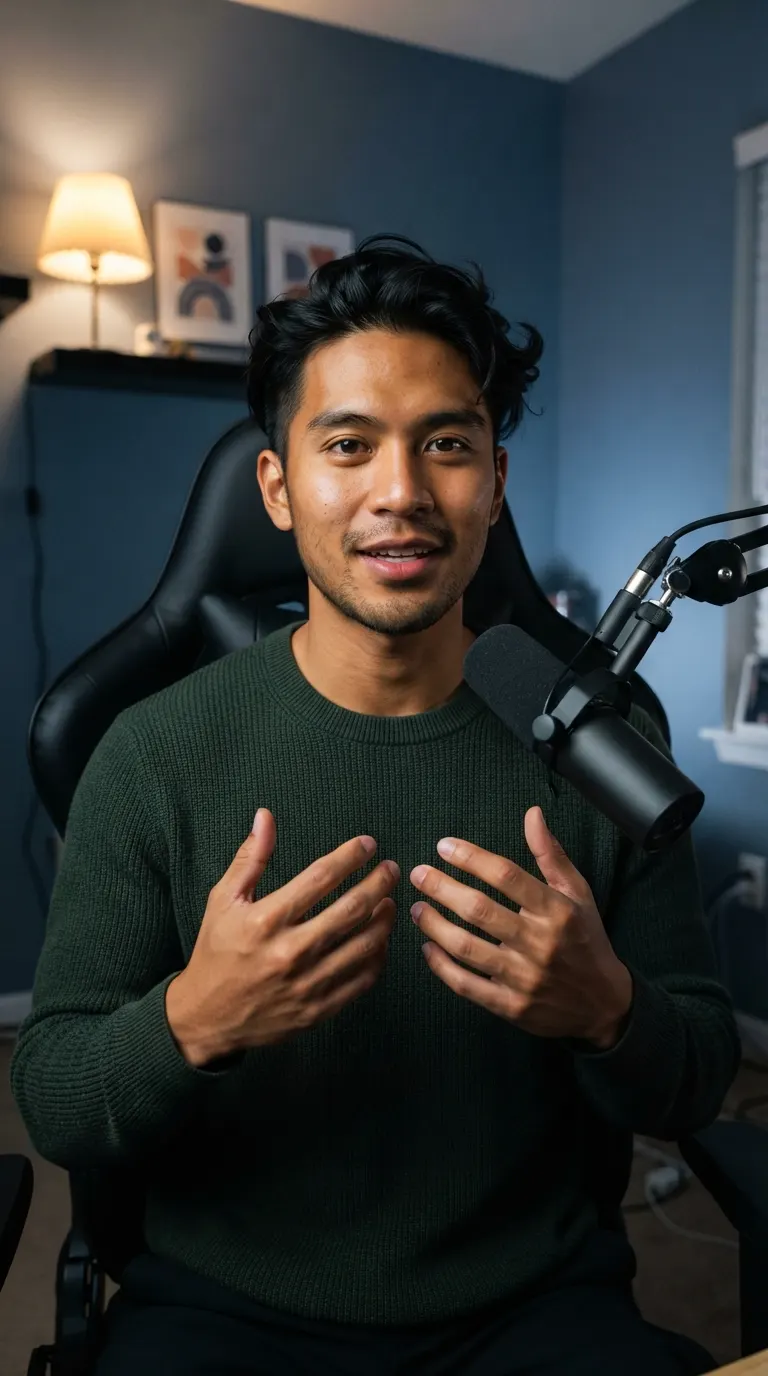 8:06
8:06- Silences 10
- Filler words 24
- Retakes 13
So, uh, [3.1s pause] this is the setup I use to fil... This is the setup I use to film every video. Um, [1.6s pause] Let me walk you through it.
Ready to post
the setup I use to film every video5:02“I had so much raw footage, but editing took so long that I couldn't post as often as I wanted. Now Voice Creator Pro edits while I play with my baby, and I actually post every day.”
Trusted by 6,000+ creators and businesses
You Stay in Control
Every Cut Is Listed, and You Can Undo Any of Them
AI Cut labels each cut it makes. Restore any one with a click, or delete words in the transcript to cut more.
- Labelled as Silence, Filler words or Repeated take
- Edit by transcript, like editing a document
Removed sections
3 sections cut
- Repeated takeThis camera costs, um, about four hundred-0:12
- KeptThis camera costs about four hundred dollars.0:16
- Filler wordsFirst, uh, open settings.0:41
- Silence2.2s pause0:47
Try it: click Restore on any row.
Captions That Keep People Watching
Pick a style and every word is captioned. Fix a misheard word, or highlight the one that matters.
- The same caption styles as Clips and Dubbing
- Titles and animated key words
The Right Shape for Every Platform
Pick a shape and the crop follows your face, so you stay in frame in every version.
- Original, 16:9, 9:16, 1:1 or 4:5
- Your face stays centred in every crop

16:9
YouTube, courses
9:16
TikTok, Reels, Shorts
1:1
Feeds
4:5
Instagram and LinkedIn feed
Save hours on every video. AI Cut makes every cut in one pass.
From Raw Take to Ready to Post
Upload once, and AI Cut takes the video the rest of the way.
Your video
Raw take, 8:06
After the Cut
Turn Your Cut into Clips, or Dub It into 21 Languages
One recording can cover YouTube, Shorts and viewers in other languages: send the cut to Clips or Dubbing.
AI edits your raw footage
So, uh, [3.1s pause] this is the setup I use to fil... This is the setup I use to film every video. Um, [1.6s pause] Let me walk you through it.
Short clips in one click
Clips picks the strongest moments from your cut and makes captioned clips in 9:16, 1:1, 4:5 or 16:9, ready for Shorts, TikTok, Reels or your feed.
See ClipsThe same video in 21 languages
Dubbing translates your cut and speaks it in your own voice, so viewers in other languages still hear you.
See Video DubbingPost It Straight Away, or Keep Editing
Most creators post the finished cut as it is. If you edit in Premiere Pro or DaVinci Resolve, take the cut there instead.
Post it straight away
Export a captioned video in the shape your platform wants and upload it.
Keep editing in your editor
Open the cut as a timeline and add B-roll, music and graphics on top.
More AI Cut features
See all video toolsFAQ
Common Questions
Let an AI editor make the first pass. AI Cut in Voice Creator Pro removes the pauses, fillers and bad takes, then you review the cut list, add subtitles, reframe and export.
Yes, with Avatars, a separate Voice Creator Pro feature. Upload one headshot, type the lines for any of your voices, and get back a video of that person speaking. AI Cut is for editing footage you already recorded.
AI Cut doesn't add B-roll. Export the cut as Premiere Pro or DaVinci Resolve XML and add B-roll, music and graphics on that timeline.
Yes. Paste the script you read from and AI Cut keeps the take of each line closest to it. Strict mode also cuts anything you said that isn't in the script.
Yes. After the cut, turn the finished video into short vertical clips in one click, or reframe the whole video to 9:16 with subtitles.
No. AI Cut runs in your browser, so any computer works. The desktop app processes the video on your own computer instead and connects to an AI model with your own key.
AI Cut edits recordings in 30 languages. To reach viewers who speak something else, dub the finished cut into any of 21 languages with Video Dubbing.
Get Started
Get Your First Edit Done for You
Upload a talking-head recording and AI Cut hands back a clean, captioned cut. Post it as it is, or keep editing in Premiere Pro or DaVinci Resolve.
Trusted by 6,000+ creators and businesses