
Voice Creator Pro is the Vizard alternative where you tell the AI which moments to clip
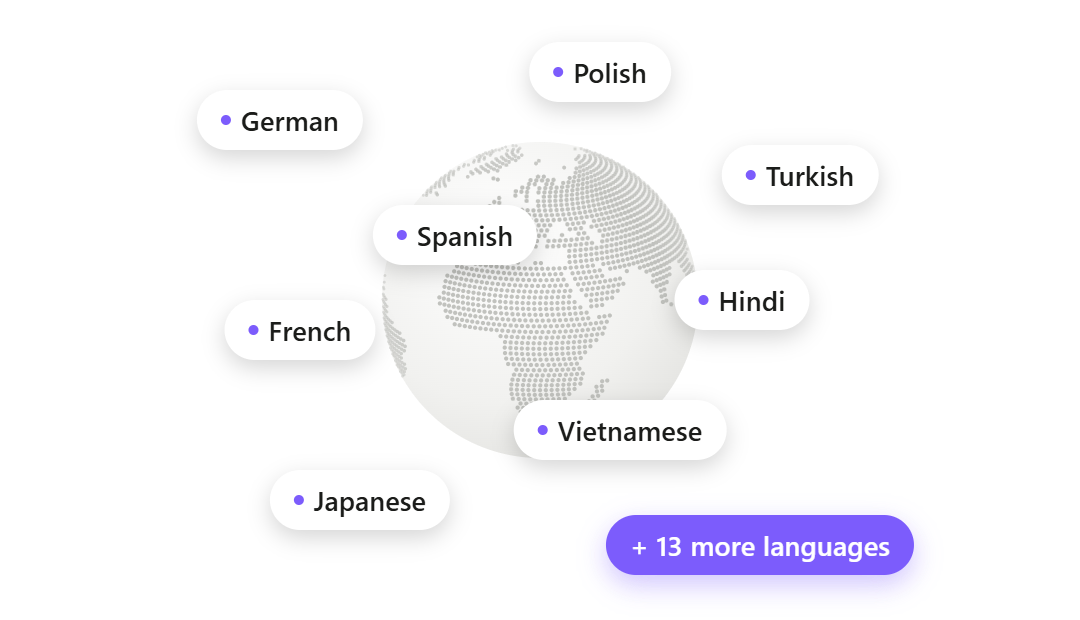
Prompt the AI with what to look for, get clips back captioned, auto-edited, and exported vertical, then dub any of them into up to 21 languages in any voice. Watermark-free from $5 a month, or a one-time purchase desktop app with unlimited generations. Compared against Vizard, OpusClip, Submagic, Quso AI, and Descript.
Updated September 2026
Vizard is great until a two-hour webinar upload swallows 120 credits before you have seen a single clip, or a long render crawls and the download fails on the plan you are paying for (a pattern G2 and Capterra reviewers report), or the clips come back cut a second early or a second late and the promised time savings become an editing pass anyway.
The top pick in this guide, Voice Creator Pro, goes after the biggest of those problems first: you hand the AI a prompt describing which moments to pull before it clips, then fix any cut by hand, and the results arrive captioned, auto-edited, exported vertical, and dubbable into up to 21 languages, watermark-free from $5 a month. Below, Vizard and five alternatives are compared on how much you can steer the clipping AI, how post-ready the output is, and what long-form footage really costs on each meter.
3 Reasons Creators Choose Voice Creator Pro
The AI clips what you told it to.
The Clips Generator takes a prompt alongside your video, so the context only you have shapes the moment selection. Feed it last week's webinar recording with "find the product-demo moments that would land with a prospective customer" and the picks weight toward the demo beats instead of whatever sounded most dramatic. And when a pick is close but not right, you adjust the cut yourself rather than re-running the whole generation and hoping.
Output you could post in minutes.
Subtitles are burned onto every clip as it is generated, auto-edit adds zoom-ins on the strongest beats and cuts filler words and dead air, and everything exports vertical for TikTok, Reels, and Shorts. What comes out of the pipeline is meant to be publishable, not a rough draft waiting for an editing session.
Every clip can speak 21 languages.
Dubbing is part of the same pipeline: any clip can be dubbed into up to 21 languages, and the voice is your call, a clone of your own (from a 3 to 10 second reference), a designed voice, or a library voice, assigned per speaker. Underneath sits a complete voice stack of zero-shot cloning, 13-emotion text to speech, speech to text, and voice changing, so narration and dubs never require a second product.
How Voice Creator Pro Compares With Vizard
| Vizard | Voice Creator Pro | |
|---|---|---|
| Pricing (as reported, September 2026) | Free (60 credits) / Creator $29/mo ($14.50/mo annual) / Business $39/mo ($19.50/mo annual) | Cloud free tier / $5/mo Starter / $20/mo Premium; desktop one-time from $54.99 |
| Metering | 1 credit per source minute uploaded; 600/mo on the Creator baseline | Monthly tokens on Cloud. Desktop: pay once, no credits; uses your LLM API key |
| AI clipping | AI highlights plus auto-reframe, strongest on talk content | AI moment-finding you can steer with a context prompt |
| Captions | Auto captions; translation claimed to 100+ languages (disputed, see below) | Animated and styleable: word-by-word highlighting, fonts, background boxes, saved presets |
| Auto-editing | AI B-roll, emojis, highlights | Zoom-ins, filler-word and dead-air removal included |
| Dubbing | Audio translation advertised (roughly 30 languages, details thin, credit-metered) | Up to 21 languages per clip, no credits on desktop |
| Voice tools | None (no TTS, no cloning) | TTS, 3 to 10 second voice cloning, 13 emotions, STT, voice changing |
| Publishing | Direct posting plus scheduler from Creator; 6 to 20 social accounts | Export the file (no direct posting) |
| Free exports | Watermarked, 720p, 10-minute cap, projects expire in 3 days | Watermarked, downloaded file is yours to keep |
| Platform | Web plus API | Browser plus desktop app |
Quick Comparison
| Tool | Metering | Dubbing | Publishing | Starting price | Best for |
|---|---|---|---|---|---|
| Vizard | 1 credit per source minute | Audio translation advertised | Direct post + scheduler | Free; Creator $29/mo ($14.50 annual), as reported Sept 2026 | Cheap watermark-free 4K with built-in scheduling |
| Voice Creator Pro | Cloud: monthly tokens. Desktop: pay once, no credits | 21 languages, in the pipeline | Export file | Free; $5/mo Cloud; $54.99 desktop once | Steering clip selection, plus dubbing and a full voice stack |
| OpusClip | 1 credit per source minute | 25 languages, own voice | Direct post + scheduler (paid) | Free; $15/mo | Non-speech footage via ClipAnything |
| Submagic | Plan-based (verify current terms) | Not its focus | Varies by plan | See their site for current pricing | Caption styling above all else |
| Quso AI | ~1 credit per processed minute, shared pool | Not supported | Auto-post to 7 platforms | Free; $29/mo Lite | Clip-to-calendar in one social suite |
| Descript | Media hours plus AI credits | 30+ languages advertised, credit-metered | Export file | Free; $16/mo annual Hobbyist | Fixing clips word by word in a real editor |
Overview of Vizard
Best for: creators and small teams who want the cheapest watermark-free 4K clips in the category, with posting and scheduling handled in the same tool.
Vizard turns long talk-based video (podcasts, webinars, interviews) into short vertical clips, with auto-reframing, captions, AI B-roll suggestions, and virality-style highlights. Its genuine strengths, as of September 2026:
- Cheapest watermark-free 4K entry among the big clip tools. Creator at $14.50/mo on annual billing (as reported, September 2026; Vizard's own pricing page is JS-heavy, so these figures come from hands-on reviews and trackers) includes 4K export, brand templates, and 600 upload minutes.
- Publishing built in from the start. Direct posting plus a scheduler on Creator, 6 managed social accounts (20 on Business), and AI-written post copy and hashtags.
- A usable free tier. 60 upload minutes a month with full editor access and AI clips, watermarked at 720p, which is enough to evaluate the tool properly.
- Audio translation advertised. Vizard's video-translator page says it translates audio tracks into roughly 30 languages, though it publishes no detail on voice quality or credit cost.
- API access on every paid tier, where some rivals reserve it for enterprise plans.
Why people look for alternatives: the per-minute credit model charges for the entire source file on upload, and 600 Creator credits are only 10 hours of footage a month, which one June 2026 review said rewards people who pre-trim and punishes people who upload raw files. Reviewers on G2 and Capterra report slow rendering on long videos, failed downloads on paid plans, and slow-loading project pages. Reviewers also say AI picks often cut a second early or late and captions need manual review. And the homepage claims caption translation to over 100 languages, while one June 2026 review counted roughly 25 languages supported for transcription, a gap reviewers cite as a trust issue.
1. Alternative: Voice Creator Pro
Best for: creators who want a say in which moments become clips, and anyone whose clips should exist in more than one language market.
A Vizard user's core loop carries straight over to the Clips Generator: upload a long talk-based recording, the AI surfaces the strongest moments as several ready clips, captions go on automatically, and exports come out vertical for TikTok, Reels, and Shorts. What changes is how much of each step you get to direct.
Picking the moments. Vizard, like most clippers, decides on its own what counts as a highlight, and you review what it guessed. Here you front-load your judgment instead: alongside the upload, you give the AI a prompt with the context it cannot infer. Suppose you run an interview podcast and just recorded two hours with a guest who grew an audience from zero. Prompt the Clips Generator with "surface the segments about audience growth tactics, for listeners building their own shows" and the selection weights toward those exchanges instead of the loudest laugh in the room. Re-prompt the same episode later for a different angle and you get a different set of clips from footage you already have. The podcast clip maker page shows this workflow on podcast footage specifically.
Fixing a near-miss. Reviewers report Vizard picks that start a second late or end a second early. When that happens here, you open the clip and move the cut by hand, which is faster and more predictable than re-running the generation and hoping the AI lands it this time. Auto-edit handles the rest of the polish: zoom-ins on key beats, filler words and dead air stripped out.
Styling the captions. Subtitles are built into every clip, and the look is yours to set: karaoke-style word-by-word highlighting, font and size control, background boxes when the footage is busy, and presets you save so every episode's clips match. The same engine powers the standalone subtitle generator for videos you are not clipping.
Dubbing in any voice. Any clip can be dubbed into up to 21 languages inside the same pipeline, and the dub voice is whatever you choose: your own cloned from a 3 to 10 second reference, a designed voice, or a library voice, mapped per speaker. Vizard advertises audio translation into roughly 30 languages, but publishes no detail on voice quality or credit cost, so if multilingual clips matter to you, this is the difference between a tool page and a working feature set. The full voice stack behind it (zero-shot cloning, 13-emotion text to speech, speech to text, voice changing) is usable on its own, too.
Where Vizard still wins: distribution and resolution. Vizard posts finished clips directly to 6 managed social accounts on Creator (20 on Business) with a scheduler and AI-written post copy, and Creator includes 4K export. Voice Creator Pro exports files and leaves posting to you. The deep-dive below takes that trade seriously.
- Pricing: Cloud free tier (clips and dubbing included, watermarked, 5,000 tokens/month); Starter $5/mo removes the watermark; Premium $20/mo for volume. The desktop app is a one-time purchase from $54.99 with no credits or minutes to count; it picks clips with your own LLM API key (billed by that provider) (how to connect one). The pricing edge over Vizard: watermark-free clipping starts at $5/mo versus $14.50/mo on an annual commitment ($29 monthly), as reported in September 2026, and free exports do not expire where Vizard's free projects vanish after 3 days.
Try the Clips Generator free in your browser or see the desktop one-time pricing. New to the workflow? Our guide to turning long videos into short clips walks through it end to end.
2. Alternative: OpusClip
Best for: clipping footage where nothing quotable is said: gaming, sports, vlogs.
OpusClip is the category leader by scale, with a claimed 16M+ users and a mature ecosystem of brand templates, team workspaces, and an enterprise tier. Its ClipAnything model clips by visual objects, sound, and emotion cues rather than transcript alone, which matters for non-speech footage.
- Metering: the same model as Vizard, roughly 1 credit per minute of source video. Free 60 credits/mo, Starter $15/mo with 150 credits, Pro $29/mo with 300 (as reported, September 2026), and monthly credits are reported to expire after 60 days.
- Publishing: direct posting to Shorts, TikTok, and Instagram from Starter, scheduler on Pro.
- Dubbing: yes, 25 languages in a clone of your own voice, per its help center as of September 2026; plan and credit costs are worth verifying.
How it compares to Vizard: switching from Vizard to OpusClip does not fix the meter, and minute for minute OpusClip's paid credits cost more (150 credits at $15 versus Vizard's 600 at $29, or $14.50 annual). You switch for ClipAnything's non-speech clipping, the virality score, and the bigger ecosystem, not for relief on long-form economics. Free exports expire after 3 days on both tools.
Considerations
- The free tier is 9:16 only, watermarked, with spoken-words-only clipping.
- Reviewers report the same manual-cleanup burden on AI picks as Vizard's.
See our full OpusClip alternatives breakdown.
3. Alternative: Submagic
Best for: creators whose main complaint with Vizard is caption styling rather than the meter.
Submagic made its name on stylized auto-captions for short-form video (trendy templates, emphasis effects, emoji), and its own site currently markets a broader short-form toolkit around that core, including clipping from long videos. We have not tested it hands-on, so treat this entry as a pointer rather than a review, and verify the current feature list and pricing on Submagic's own site before committing.
How it compares to Vizard: if the June 2026 reviewer's finding of a gap between Vizard's claimed 100+ caption languages and the roughly 25 counted for transcription is what pushed you to look around, a caption-first tool is a reasonable place to look. Submagic's reputation is strongest on caption quality and speed; its clipping is a newer addition than its caption core, so evaluate that half against a dedicated clipper before switching your whole workflow.
Considerations
- Caption-first heritage; the clipping side is the part to test hardest.
- Pricing and plan limits change often in this category, so check them at signup.
4. Alternative: Quso AI
Best for: creators who like Vizard's scheduler and want to go further into an all-in-one social suite.
Quso AI (formerly vidyo.ai; their own page says the rebrand went live in January 2025) pairs an AI clips generator with a genuinely broad social layer: auto-publishing to 7 platforms, social analytics, a content planner, a brand kit, and an AI assistant.
- Metering: roughly 1 credit per processed minute, and clipping, captioning, and editing all draw from one shared monthly pool. Free 75 credits/mo; Lite $29/mo, Essential $39/mo, Growth $49/mo, with annual billing roughly 33% cheaper and double the credits (as reported, September 2026).
- Publishing: the strongest in this list: auto-post and schedule to TikTok, Instagram, YouTube, LinkedIn, Facebook, X, and Pinterest.
- Dubbing: not advertised on its own site.
How it compares to Vizard: Quso extends the thing Vizard users like most, distribution, to more platforms and adds analytics and planning on top. But the meter comes along too, and because captioning and editing share the same credit pool as clipping, reviewers report running dry mid-month even on paid plans. And where Vizard's free plan expires projects after 3 days, Quso's free plan retains your data for only 7 days, so neither free tier is a place to keep work.
Considerations
- Watermark-free starts at $29/mo (or $19/mo with an annual commitment), the most expensive entry point in this list.
- Reviewers describe the social suite as wide but shallow: no unified inbox, no approval workflows.
See our full Quso AI alternatives breakdown.
5. Alternative: Descript
Best for: people whose Vizard complaint is clip quality, not price: every Descript clip is a fully editable composition.
Descript is an all-in-one text-based video editor that also makes clips. Its Create clips tool generates 1 to 20 clips with optional guidance prompts, and each one lands in a real editor where you trim by deleting transcript words, cut filler, and repair audio.
- Metering: a double meter: media hours to ingest video AND AI credits for every AI action, with per-run costs that Descript's own docs describe as variable. Free 60 media minutes/mo plus 100 one-time credits; Hobbyist from $16/mo annual ($24 monthly), Creator from $24/mo annual (as reported, September 2026).
- Publishing: file export only; direct social posting sits on Descript's public feature-request board.
- Dubbing: translation and dubbing into 30+ languages advertised, with lip sync, behind the credit meter. On paper that is more languages than Voice Creator Pro's 21; the difference is that Descript's dubbing is credit-metered and Voice Creator Pro's is part of the base clip pipeline.
How it compares to Vizard: this is the answer to the "clips need manual cleanup" complaint. Where Vizard reviewers report picks that cut a second early or late, Descript lets you repair the clip word by word instead of re-running the AI. The trade is that you inherit a double meter that is harder to budget than Vizard's simple per-minute credits, you lose Vizard's scheduler and direct posting entirely, and you take on a full editor's learning curve.
Considerations
- It is an editor first; clip-only users pay for and learn a suite they mostly will not use.
- Community reports describe lag on projects past roughly 30 minutes, exactly the footage clippers feed it. Attribute that to reviewers, and test with your own files.
A note on Munch: the old getmunch clipping tool would once have made this list, but in 2026 the company pivoted into Munch Studio, an AI social media management bundle from $38/mo with no free tier, and no longer sells a standalone self-serve clipper.
The Credit Trap, and What Leaving Costs You
This is the section to read before switching anything. The honest picture has two sides.
The math against staying. Vizard charges 1 credit per minute of uploaded source video, and the charge lands on the whole file before you have seen a single clip. The Creator baseline is 600 credits a month, which is 10 hours of raw footage. Now run a normal long-form schedule through it:
| Your schedule | Source minutes/month | Share of 600 Creator credits |
|---|---|---|
| Weekly 90-minute podcast | ~360 | 60% |
| Weekly 60-minute webinar replay | ~240 | 40% |
| Both | ~600 | 100%, with zero margin |
A weekly 90-minute podcast alone burns more than half the month on four uploads. Add a webinar replay and you are at the ceiling with no room for a back-catalog episode, a rerun, or a second take of a file that processed badly. One June 2026 review put it plainly: the model rewards people who pre-trim and punishes people who upload raw files. Vizard does not publish a credit expiry or rollover policy, so budgeting around leftovers is guesswork. Higher annual credit tiers exist (Vizard's pricing page shows ladders up to 60,000 credits a year), but then the fix for the meter is paying more into the meter.
On Voice Creator Pro the same schedule is not a math problem. The desktop app has no tokens and no monthly caps, so 360 minutes and 3,600 minutes cost the same after the one-time purchase from $54.99, and on Cloud, watermark-free clipping runs $5 a month on a monthly token allowance. The workload that defines Vizard's ceiling is the workload the product is designed for.
The math against leaving. Now the other side, stated just as plainly. Leaving Vizard costs you real capabilities:
- The post scheduler and direct posting, from the first paid tier.
- Managed social accounts: 6 on Creator, 20 on Business, connected once and posted to in one click.
- AI-written post copy and hashtag suggestions for each clip.
Voice Creator Pro replaces none of that. It gives you the clips (no per-minute credits, subtitled, auto-edited, dubbable into 21 languages) and the voice stack, and then hands you the files. Posting is on you: manually, or through whatever scheduling tool you already use.
So who should stay on Vizard? If your monthly footage fits comfortably inside 10 hours, distribution is your real bottleneck, and you are posting daily across several accounts from one dashboard, Vizard at $14.50/mo on annual billing (as reported, September 2026) is a fair deal and switching would cost you more workflow than it saves. The people who should leave are the ones the meter was never sized for: podcasters, webinar hosts, and anyone with a back catalog, where every month starts with deciding which footage is worth uploading.
How to Choose
You want to direct which moments get clipped: Voice Creator Pro. Prompt the AI with the context before it clips, then adjust any cut by hand.
Your footage exceeds 10 hours a month, or you have a back catalog: Voice Creator Pro. Cloud plans run on monthly tokens, and the desktop app is pay once with no credits (clip picks run on your own LLM API key).
You publish for more than one language market: Voice Creator Pro. Dubbing into up to 21 languages is part of the clip pipeline, with a voice stack attached.
Your bottleneck is posting, not clipping: stay on Vizard, or move to Quso AI for a 7-platform scheduler with analytics and planning.
You clip gaming, sports, or vlog footage: OpusClip. ClipAnything reads visuals and sound, not just speech.
Your complaint is caption styling: Submagic, verified against its current feature list.
Your complaint is clip quality and you want to fix clips by hand: Descript, if you accept the double meter and the editor's learning curve.
For a wider ranking of the category without a Vizard anchor, see the best AI clip makers roundup.
Ready to stop counting upload minutes? Try the Clips Generator free in your browser or get the desktop app for one-time pricing with no usage caps.
Try the Clips Generator for free
Also available on Windows and macOS. One-time purchase, unlimited generations.