
Voice Creator Pro is the Quso AI alternative that clips what you ask it to
AI moment-finding you can steer with a prompt, captions you can style down to the word, and dubbing into up to 21 languages in any voice, watermark-free from $5 a month instead of Quso Lite's $29. Compared against OpusClip, Vizard, and 2short.ai.
Updated September 2026
Quso AI (formerly vidyo.ai) is great until the credit pool empties: captioning and editing spend from the same monthly balance as clipping, so a few long uploads plus a caption pass can leave you dry mid-month, something reviewers report happening even on paid plans. Or until you look at the $29-and-up bill and realize you are funding a scheduler, analytics, and a content planner when the clipper is the only tab you ever open.
Voice Creator Pro leads with a different answer to the clipping half of that job: before the AI clips, you give it a prompt describing which moments you want and who they are for, and the clips come back captioned, tightened, and dubbable into up to 21 languages, watermark-free from $5 a month. This guide compares Quso against the four alternatives worth considering in 2026, on how much you can steer the clipping, what the output needs before it posts, and what the meter costs on a real workload.
3 Reasons Creators Choose Voice Creator Pro
Briefable clip selection.
The Clips Generator takes a prompt alongside your video, so the AI starts with context it could never infer. Say you record a weekly livestream: prompt it with "pull the segments where I answer viewer questions, skip the intro and the housekeeping" and moment selection weights toward exactly those answers instead of whatever spiked loudest. And when a cut lands a beat early or runs a beat long, you fix it by hand rather than re-rolling the whole generation.
Output that skips the edit queue.
Clips come out with subtitles already burned in, zoom-ins on the key beats, and filler words and dead air stripped, exported vertical for TikTok, Reels, and Shorts. The captions are yours to style: word-by-word highlighting, your fonts, background boxes for busy frames, and presets you save once so every clip matches your feed.
One clip, every language your audience speaks.
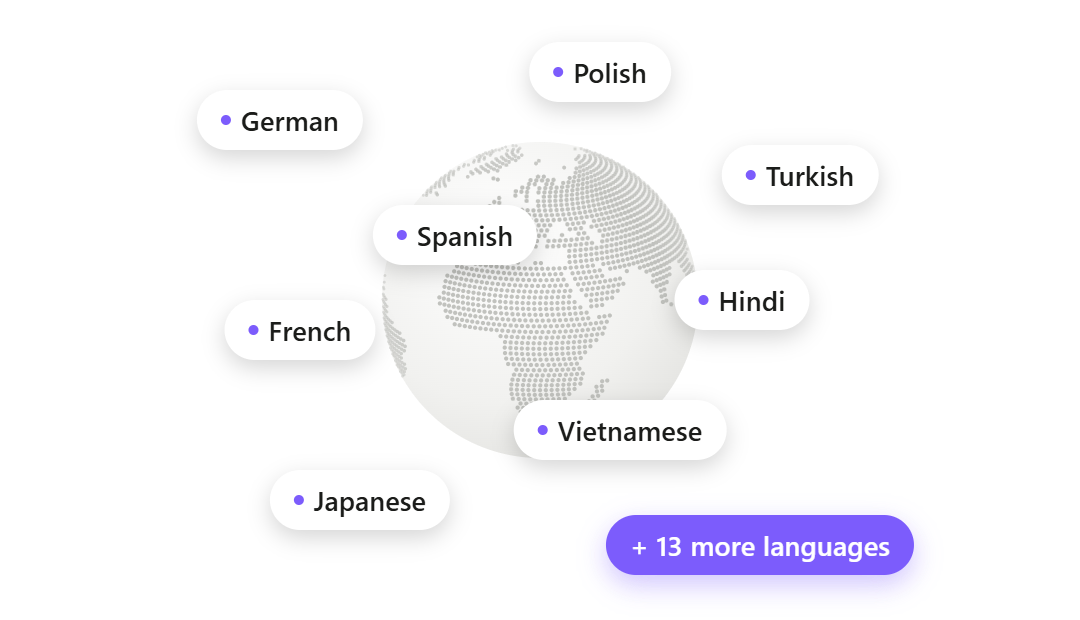
Any clip can be dubbed into up to 21 languages, in whatever voice you choose: your own cloned from a 3 to 10 second sample, a designed voice, or a library voice, assigned per speaker. Behind it sits a full voice stack (zero-shot cloning, 13-emotion text to speech, speech to text, voice changing), so narration, subtitles, and dubs all happen without leaving the app.
How Voice Creator Pro Compares With Quso AI
| Quso AI | Voice Creator Pro | |
|---|---|---|
| Pricing (as of September 2026) | Free (75 credits) / $29 Lite / $39 Essential / $49 Growth monthly | Cloud free / $5 / $20 monthly; desktop one-time from $54.99 |
| Metering | ~1 credit per processed minute; clipping, captions, and editing share one pool | Monthly tokens on Cloud. Desktop: pay once, no credits; uses your LLM API key |
| AI clipping | Clips Generator with virality scoring, CutMagic, text-based editing | AI moment-finding, steerable with a context prompt |
| Captions | Word-level animated captions, 50+ languages | Animated and styleable: word-by-word highlighting, fonts, background boxes, saved presets |
| Auto-editing | AI filler and silence removal on Essential ($39/mo) and up | Zoom-ins, filler and dead-air removal included |
| Audio dubbing | Not supported | Up to 21 languages per clip |
| Voice tools | None advertised | Voice cloning (3 to 10 second reference), 13-emotion TTS, STT, voice changer |
| Publishing | Auto-post and scheduler to 7 platforms | Export the file; no direct posting |
| Free tier | 75 credits, 720p, watermark, 7-day data retention | Watermarked, 5k tokens/mo, downloaded file is yours to keep |
| Platform | Web only, no offline mode found | Browser plus desktop app |
Quick Comparison
| Tool | Metering | Watermark-free from | Dubbing | Publishing | Best for |
|---|---|---|---|---|---|
| Quso AI | ~1 credit per processed minute, shared pool | $29/mo ($19/mo annual) | Not supported | Auto-post + scheduler, 7 platforms | Solo creators who want clip-to-calendar in one tool |
| Voice Creator Pro | Cloud: monthly tokens. Desktop: pay once, no credits | $5/mo | Up to 21 languages | Export only | Steerable clipping plus multilingual reach |
| OpusClip | 1 credit per source minute | $15/mo | 25 languages, own voice | Direct post + scheduler (paid) | Agencies and teams standardizing on the category leader |
| Vizard | 1 credit per uploaded minute | $14.50/mo (annual) or $29/mo | Audio translation advertised, details thin | Direct post + scheduler from Creator | Cheapest watermark-free 4K with publishing built in |
| 2short.ai | Analysis hours per month | $9.90/mo (verify watermark terms) | Not supported | None | Hobbyists clipping a few YouTube links a month |
Overview of Quso AI
Best for: solo creators and small teams who want clipping, captions, scheduling, and analytics in one subscription, and whose monthly video volume fits inside the credit allowance.
Quso launched as vidyo.ai and rebranded to quso.ai in early 2025 (their own page says the rebrand went live in January 2025), with the same logins, plans, and projects carried over; the stated reason was that the product had outgrown a clipping-first name. It is genuinely more than a clipper now. The AI Clips Generator scores clips by virality, CutMagic handles automated cutting, and text-based editing lets you delete words and silences from a transcript. Around that core sits the suite: a scheduler that auto-publishes to TikTok, Instagram, YouTube, LinkedIn, Facebook, X, and Pinterest, social analytics with AI insights, a content planner, a brand kit, and the Viddy AI assistant. Import support is wide too, covering YouTube, Twitch, Loom, Zoom, Rumble, LinkedIn, Google Drive, and Dropbox, which suits streamers and meeting-heavy teams.
- Clipping: AI moment-finding with virality scoring, plus automated cutting and transcript-based editing.
- Captions: word-level animated captions in 50+ languages.
- Dubbing and voice: no audio dubbing, TTS, or voice cloning advertised on their own site.
- Pricing (as of September 2026): Free $0 (75 credits, 720p, watermark, 7-day data retention), Lite $29/mo, Essential $39/mo, Growth $49/mo. Annual billing cuts roughly 33% off and doubles the monthly credits, which is decent math if you accept the credit model.
Why people look for alternatives: the credit pool. SocialRails puts it bluntly in its 2026 review: "Every action costs credits. Even on paid plans, you can run out." Because clipping, captioning, and editing share one meter, heavy users burn through mid-month and face upgrade pressure. The same review scores the suite about 3.5 out of 5 as a social manager, calling it great for repurposing but incomplete for full social media management, with no social listening, no unified inbox, and lightweight scheduling below the Growth tier. SendShort and Product Hunt reviewers additionally report occasional editing glitches that force redone work and slow support responses, and free-tier users note that 75 credits, 720p, a watermark, and 7-day data retention make the free plan feel like a demo. All of these come from reviewers rather than our own testing; your mileage may vary.
1. Alternative: Voice Creator Pro
Best for: creators who came to Quso for the clipper and want more say in what comes out of it, especially anyone whose clips should exist in more than one language.
If Quso's clipper is the part you use, the Clips Generator covers that job end to end: upload a long video, the AI surfaces the strongest moments as several ready clips with subtitles on them, and exports come out vertical for TikTok, Reels, and Shorts. Here is how the workflow maps for a Quso user, and where it goes further.
Steering the picks. Quso surfaces moments and scores them for virality; here you brief the AI first. Alongside the upload, you write a prompt with the context the model cannot guess. Upload a two-hour interview with another creator and prompt "find the stories about growing on TikTok, for an audience of new creators," and moment selection weights toward those stories rather than the loudest exchanges. When a cut still is not quite right, you edit it by hand instead of re-running the generation, so the final set reflects your judgment.
Finishing and captioning. Auto-edit adds zoom-ins on the key beats and strips filler words and dead air, or you edit manually. Captions are built in and fully styleable: karaoke-style word-by-word highlighting, font and size choices, background boxes for busy footage, and saved presets that keep one look across your channel. The same engine powers the standalone subtitle generator if you caption videos you did not clip.
Going multilingual. This is the wedge Quso does not advertise an answer to: its multilingual story stops at captions, while any clip here can be dubbed into up to 21 languages, in any voice you choose, your own cloned from a 3 to 10 second reference, a designed voice, or a library voice, mapped per speaker. Underneath sits the full voice stack (zero-shot cloning, 13-emotion TTS, speech to text, voice changing), so narration, captions, and dubs never require a second product.
Where Quso still wins: distribution. Quso schedules and auto-posts to seven platforms, tracks performance in a social analytics dashboard, and plans your calendar; Voice Creator Pro hands you a finished file and posting is on you. If those tools are why you signed up, read the trade-off section below before switching.
- Pricing: Cloud Free (clips and dubbing included, watermarked, 5,000 tokens/mo); Starter $5/mo removes the watermark, with 250k tokens; Premium $20/mo with 1.5M tokens; desktop app one-time purchase from $54.99, with no credits or minutes to count. It picks clips with an AI model you connect: your own LLM API key, billed by that provider (how to connect one). Watermark-free clipping starts at $5 a month here versus $29 a month on Quso Lite.
Try the Clips Generator free in your browser or see the desktop one-time pricing. New to clipping workflows? Start with our guide to turning long videos into short clips.
2. Alternative: OpusClip
Best for: teams and agencies that want the category leader, with direct publishing and a mature ecosystem.
If you are leaving Quso for a more clipping-focused tool with a bigger track record, OpusClip is the obvious first stop: it claims 16M+ users, carries big-creator social proof, and offers enterprise features (team workspaces, an API, SOC 2 on its Business tier). Its ClipAnything model reads visual objects, sound, and emotion cues alongside the transcript, which covers gaming, sports, and vlog footage.
- Pricing (as of September 2026): Free (60 credits), Starter $15/mo, Pro $29/mo. Credits meter at 1 per minute of source video, and monthly-plan credits expire after 60 days.
How it compares to Quso: OpusClip is a deeper clipper with the same fundamental meter. It clips more genres than Quso and posts directly to Shorts, TikTok, and Instagram, but it is not a social suite: no analytics dashboard or content planner, and the scheduler only arrives on Pro. Leaving Quso for OpusClip trades suite breadth for clipping depth without escaping per-minute credits. Like Quso, it does not advertise audio dubbing.
Considerations
- The per-minute credit model punishes long-form and back-catalog work, the same complaint Quso users have.
- Free exports are watermarked, 9:16 only, and expire after 3 days.
See our full OpusClip comparison, or the three-way breakdown in OpusClip vs Descript vs Voice Creator Pro.
3. Alternative: Vizard
Best for: the cheapest watermark-free 4K entry among the big clip tools, with publishing built in from the first paid tier.
Vizard targets talk-based content (podcasts, webinars, interviews) and bundles direct posting, a scheduler, and six social accounts into its Creator plan, which drops to $14.50/mo on annual billing. It is the closest thing on this list to Quso's clip-and-publish workflow at a lower price.
- Pricing (as of September 2026): Free (60 credits, 720p, watermark, projects expire after 3 days), Creator $29/mo or $14.50/mo billed annually, Business $39/mo or $19.50/mo annually. Credits meter at 1 per uploaded source minute, 600/mo on the Creator baseline.
How it compares to Quso: Vizard undercuts Quso's $29 entry point while keeping the parts of the suite most creators use, posting and scheduling, and its Creator tier includes 4K export and an API, which Quso's pricing page does not mention. It advertises audio translation on a tool page (around 30 languages), though with no published detail on voice quality or credit cost, so treat that claim cautiously. What you give up versus Quso is the wider suite: no analytics package or AI content planner at the same depth. And the upload meter is still there: reviewers at Roborhythms call it a credit trap because a 90-minute podcast costs 90 credits before you see a single clip.
Considerations
- The good price requires an annual commitment; monthly is the same $29 as Quso Lite.
- G2 and Capterra reviewers report slow rendering on long videos and clips that need manual cleanup; budget review time either way.
See our full Vizard comparison.
4. Alternative: 2short.ai
Best for: hobbyists clipping one or two YouTube videos a month who want the cheapest paid plan in the category.
2short is a small indie tool with a dead-simple workflow: paste a YouTube link, get short clips with animated subtitles and facial tracking that keeps the speaker centered. Its Lite plan at $9.90/mo (as of September 2026) undercuts every other paid tier in this list.
How it compares to Quso: 2short is the opposite of a suite. No scheduler, no analytics, no publishing, no team features, and it is built around importing YouTube links rather than uploading files, leaning on existing captions. If Quso felt like paying for tools you never open, 2short is the minimal counterpoint. If you relied on any part of Quso beyond the clipper, 2short will feel bare. It meters by AI analysis hours (30 minutes free, 5 hours on Lite), so the meter problem shrinks but does not vanish, and it does not advertise dubbing or any voice features.
Considerations
- Works best on spoken-word YouTube content with captions; music and non-speech footage often fail.
- Solo-built and unfunded, which explains the price but matters for teams betting a workflow on it.
- Whether free exports carry a watermark is not stated on their own site; verify before relying on the free plan.
The Credit Math: What a Weekly Podcast Costs on Quso
With the capability question settled, the remaining question is cost. The scenario: a weekly one-hour podcast, roughly 240 minutes of processed video a month, and remember that on Quso a captioning or editing pass draws from the same credit pool again. Prices and credit counts are from quso.ai/pricing as of September 2026.
| Plan | Monthly credits | Covers 240 min/mo? |
|---|---|---|
| Quso Free ($0) | 75 | ; one episode a month, then empty, at 720p with a watermark |
| Quso Lite ($29/mo) | 100 (200 on annual billing) | ; even the doubled annual allowance falls short once captions and edits draw again |
| Quso Essential ($39/mo) | 300 (600 on annual billing) | Barely on monthly billing; the clipping fits, then caption and edit passes eat the 60-credit remainder |
| Quso Growth ($49/mo) | 600 | |
| Voice Creator Pro Cloud Free ($0) | 5,000 tokens/mo | Within the token allowance, watermarked |
| Voice Creator Pro Starter ($5/mo) | Monthly token allowance | Watermark-free |
| Voice Creator Pro Desktop ($54.99 once) | Pay once, no credits (your LLM API key) | And the back catalog too |
Quso's annual billing deserves a fair word: it doubles credits on every paid tier while cutting the price about a third, which is genuinely decent math if your volume fits, though the good per-month price requires committing to the full year. The floor is still the story. On monthly billing, the cheapest Quso plan that reliably survives this workload is Growth at $49, while the same clipping runs watermark-free on Voice Creator Pro for $5 a month, and the one-time desktop app has no credits to count, which is the only route where clipping 50 back-catalog episodes in a weekend costs nothing extra from Voice Creator Pro.
The Suite Trade-Off: What Leaving Quso Really Costs
No other page in this series needs this section, because no other tool here is a suite. Quso's rebrand from vidyo.ai was explicitly about this: the product outgrew a clipping-first name as it became an AI social media manager. That cuts both ways, and you should know which side of the cut you are on before switching.
If you only need clipping, you are paying suite prices for a clipper. Quso's $29 to $49 monthly pricing funds a scheduler, analytics, a planner, a brand kit, and an AI assistant. If your workflow is "clip the podcast, download, post by hand" (or your posting already lives in a dedicated scheduler like Buffer or Later), every one of those tools is dead weight, and the credit meter still applies to the one feature you use. A dedicated clipper is the better buy: Voice Creator Pro at $5/mo watermark-free, 2short at $9.90, OpusClip at $15, Vizard at $14.50 annual. You can halve or quarter the bill, and Voice Creator Pro's one-time desktop app removes the meter entirely.
If you use the whole suite, losing it is the real cost of leaving. Be honest about this before you churn. Replacing Quso piecemeal means a clipper plus a scheduler plus an analytics tool, three subscriptions and three logins, which can erase the savings and add glue work. None of the alternatives above replicates the seven-platform auto-posting plus planner plus analytics combination in one place. OpusClip and Vizard cover posting and scheduling but not the planner or analytics depth; Voice Creator Pro and 2short cover neither and hand you a file.
Who should stay on Quso: a solo creator or small team that publishes to several platforms, uses the scheduler and planner weekly, and whose monthly footage genuinely fits the credit allowance (roughly 100 to 600 processed minutes on paid tiers, double on annual billing). For that person the bundle is honestly priced and the convenience is real. The reviewers' complaint about suite depth (SocialRails' "wide but shallow" verdict) mostly bites teams that need approval workflows or a unified inbox, which Quso does not have anyway.
Who should leave: anyone whose credits run out before the month does, anyone paying for the suite but using only the clipper, and anyone who needs their clips in more than one language, because dubbing is the one job nothing in Quso's 59-tool directory advertises.
How to Choose
You only need clipping, not the suite: Voice Creator Pro. Watermark-free at $5/mo, or pay once for the desktop app and stop counting minutes (clip picks use your own LLM API key).
You want a say in which moments get clipped: Voice Creator Pro. Prompt the Clips Generator with what to look for and who it is for, then edit any cut by hand.
Your clips need to reach non-English audiences: Voice Creator Pro. Up to 21 dubbing languages per clip; no other tool on this page advertises comparable audio dubbing.
You want clip-to-calendar in one tool: stay on Quso, or try Vizard for the same clip-and-publish loop at a lower annual price.
You clip gaming, sports, or footage where nobody talks: OpusClip. ClipAnything clips by visuals, sound, and emotion cues, not just speech.
You clip a couple of YouTube videos a month on a budget: 2short.ai at $9.90/mo.
For the full field beyond these four, see our best AI clip makers roundup.
Ready to clip without the suite? Try the Clips Generator in your browser or get the desktop app for one-time pricing with no usage caps.
Try the Clips Generator for free
Also available on Windows and macOS. One-time purchase, unlimited generations.