
From Manuscript to Studio-Quality Audiobook
Generate an audiobook in one click or fine-tune every detail, with voices that convey real emotion. No per-book fees or character limits.
See It in Action
From Book to Audio in One Click
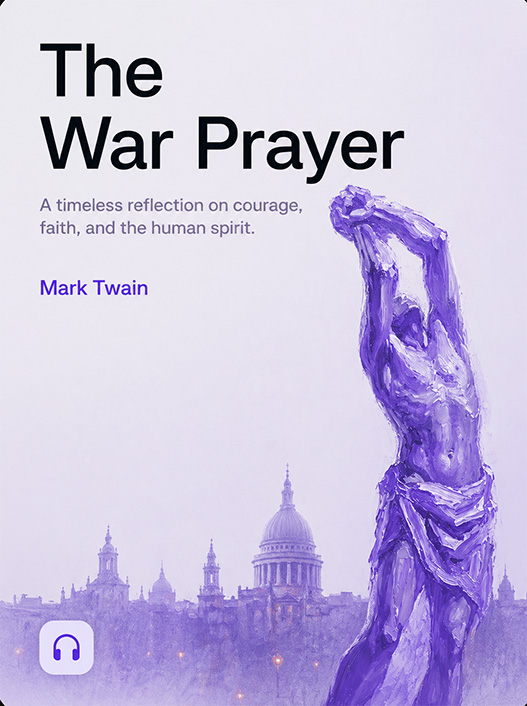
The War Prayer
by Mark Twain
It was a time of great and exalting excitement.
The country was up in arms, the war was on, in every breast burned the holy fire of patriotism; the drums were beating, the bands playing, the toy pistols popping, the bunched firecrackers hissing and sputtering. On every hand and far down the receding and fading spreads of roofs and balconies, a fluttering wilderness of flags flashed in the sun.
Simple Yet Powerful
One Click or Full Creative Control
Drop in your manuscript and generate an audiobook in one click, or take the director's chair and shape every detail of the performance.
Drop a File, Get an Audiobook
Import an EPUB, PDF, DOCX, or plain text file. Voice Creator Pro detects chapters, assigns a narrator voice, and generates your complete audiobook. One file in, one audiobook out.
Regenerate Any Section on Demand
Not happy with how a paragraph or chapter sounds? Regenerate just that section with a different voice, pacing, or tone. No need to re-record the entire book. No narrator to re-book, no studio to reschedule. Iterate until every line sounds right.
Thousands of Voices for Every Character
Choose from thousands of built-in voices that convey real emotion: warmth, tension, humor, authority. Or describe the voice you want and let AI create it. Every character in your book can sound distinct and expressive.
Built for Audiobooks
Everything You Need to Produce an Audiobook
Multi-Voice Narration
Assign different voices to different characters or speakers. Create multi-narrator audiobooks with distinct voices for each role.
Voice Cloning
Clone any voice from a 3 to 10 second sample. Narrate your book in your own voice or any voice you have permission to use.
Chapter Detection
Automatically identifies chapter boundaries from your source file. Chapters carry through to M4B exports so listeners can skip between sections.
Pacing Controls
Adjust pauses between paragraphs and chapters, tune speaking speed per section, and control timing for a natural listening experience.
Series Consistency
Save voice assignments per project. Reuse the same character voices across Book 1, Book 2, and beyond so your series sounds consistent.
Privacy First
With the desktop app, your manuscripts stay on your hardware. Cloud users benefit from encrypted processing. Ideal for unpublished and pre-release work.
How It Works
Three Steps to a Finished Audiobook
Import Your Book
Drop in an EPUB, PDF, DOCX, or plain text file. Voice Creator Pro extracts the text and detects chapter boundaries automatically.
Assign Voices
Choose a narrator voice for each character or section. Use built-in voices, clone your own voice, or design new ones from a text description.
Export Your Audiobook
Adjust pacing and pauses, then export to M4B with chapter markers for audiobook players. MP3, WAV, and FLAC are also available.
The Cost of Audiobook Production
Audiobook Production is Expensive
Whether you hire a narrator or use a cloud TTS service, the costs add up fast.
Hiring a Narrator
$2,000 — $4,000+
per book
- $200-$400 per finished hour
- Studio booking and editing fees
- Weeks of turnaround time
- Revisions cost extra
VCP Cloud
From $0/mo
up to ~500 hrs/mo at $20, ~50 hrs with cloning
- Free tier included
- No GPU or hardware needed
- Works in any browser
- Sync across devices
VCP Desktop
$59.99
one time, forever
- Unlimited books, unlimited audio
- No subscriptions or usage fees
- Everything stays on your computer
- Works fully offline
Who It's For
Made for People Who Make Books
Self-Published Authors
Create audiobook editions of your work without hiring a narrator or booking studio time.
Small Publishers
Add audiobook editions to your catalog at a fraction of the cost of traditional production.
Educators
Convert textbooks, study guides, and course materials into audio that students can listen to anywhere.
Accessibility Advocates
Make written content accessible to people with visual impairments or reading difficulties.
FAQ
Common Questions
Voice Creator Pro accepts EPUB, PDF, DOCX, and plain text files. It extracts the text, detects chapter boundaries, and prepares everything for narration automatically.
Yes. You can assign a different voice to each character, narrator, or section of your book. Mix built-in voices, cloned voices, and AI-designed voices freely.
A professional narrator typically costs $200 to $400 per finished hour of audio, plus studio time. A 10-hour audiobook can run $2,000 to $4,000+. Voice Creator Pro Cloud's $20/mo plan gives you up to ~500 hours of basic TTS or ~50 hours of advanced TTS. There is also a free tier to get started. The desktop app is a one-time $59.99 purchase with unlimited generations.
M4B is the standard audiobook format. Voice Creator Pro exports to M4B with embedded chapter markers so listeners can navigate by chapter in any audiobook player. MP3, WAV, and FLAC are also available.
Yes. Record 3 to 10 seconds of your voice, and Voice Creator Pro will clone it for use as your audiobook narrator. With the desktop app, your voice sample never leaves your computer. With Voice Creator Pro Cloud, your audio is processed on our servers and is never used for model training.
Not for the desktop app. Everything runs locally on your computer and your files never leave your device. Voice Creator Pro Cloud requires an internet connection but lets you generate audiobooks from any device with a browser.
With the desktop app, generation speed depends on your GPU. With a high-end GPU (e.g. RTX 4080 or M2 Pro), a 10-hour audiobook can finish in about an hour. With a mid-range GPU, expect closer to 2 to 3 hours. CPU-only processing works but is significantly slower. NVIDIA is recommended on Windows, Apple Silicon (M1+) on Mac.
Yes. You own all audio you generate. There are no licensing restrictions on commercial use, distribution on platforms like Audible, or resale.
Yes. Save voice assignments per project. When you start Book 2 or Book 3, load the same voices so every character sounds consistent across the entire series.
Start Creating Audiobooks Today
Try it free in your browser, or download the desktop app for unlimited offline audiobook creation.