
Voice Creator Pro is the Submagic alternative that clips long videos and dubs them in your own voice
Cut long videos into captioned vertical clips with no add-on, and dub any clip into 21 languages with every speaker in their own voice.
Updated October 2026
Submagic makes short vertical videos look made for TikTok, and creators start looking around when their work stops fitting inside a short. Starter caps every video at 2 minutes and Pro at 5, clipping a long video needs the $19-a-month Magic Clips add-on, and translation keeps your original audio.
Quick Picks
- Voice Creator Pro: best for clipping long videos, then dubbing the clips in each speaker's own voice
- OpusClip: best for clipping visual footage like gaming and sports
- Vizard: best for cheap 4K clips with a scheduler
- Captions: best for filming and editing on an iPhone
- CapCut: best for a free full editor with templates
- Submagic: still a good pick for trendy animated captions on a steady stream of shorts
Quick Comparison
| Tool | How it limits you | Dubbing | Posting | Paid from (Oct 2026) |
|---|---|---|---|---|
| Submagic | 2 to 30 min per video by plan; clipping is an add-on | Captions only, original audio kept | Post and schedule | $19/mo ($12 annual) |
| Voice Creator Pro | Monthly tokens on Cloud; desktop unlimited | 21 languages, every speaker cloned | Export file | $5/mo; $54.99 desktop once |
| OpusClip | 1 credit per source minute | 25 languages, your own voice | Post; schedule on Pro | $15/mo (reported) |
| Vizard | 1 credit per source minute | Audio translation advertised | Post and schedule | $29/mo ($14.50 annual, reported) |
| Captions | Credits per AI action; 10-min captions on iOS | 30+ languages; cloning on Max | Export or share | $9.99/mo (iOS) |
| CapCut | Pro features by plan and region | Verify by region | Direct to TikTok | ~$19.99/mo (reported) |
Submagic: Best for Animated Captions on Shorts
Submagic, from a bootstrapped Paris-based team, is a polished web editor for short vertical talking-head video, and its limits tighten as soon as the source gets long.
- Best for: short-form creators and agencies who want the bold, animated caption look and post a predictable number of shorts a month
- Price: Starter $19/mo ($12 annual), Pro $39 ($23), Business $69 ($41), per member; Magic Clips add-on $19/mo for 10 uploads; free trial of 3 short, watermarked videos (October 2026)
- Standout: 35+ animated caption styles with emojis and per-word highlights, plus posting to TikTok, Instagram, and YouTube Shorts (scheduling on Pro and Business)
- Limitation: each video is capped at 2 minutes on Starter, 5 on Pro, and 30 on Business
Pros
- Silence and bad-take removal, auto zooms, hook titles, B-roll (movie clips on Business), transitions, sound effects, music, and AI eye contact; custom fonts and brand kits from Pro
- Shared workspaces (3 users on Pro, unlimited on Business) and a documented REST API with webhooks and Magic Clips endpoints
- Claims 4M+ users and holds a 4.5 TrustScore across about 850 Trustpilot reviews
Cons
- Magic Clips returns 20+ suggested clips with a virality score, but it is an add-on on top of a paid plan
- Its translator page says it "keeps your original audio", so translation means captions in 48+ languages (some pages say 123) over your own voice
- Web only; its documented overlay export is a green or blue screen background rather than transparent video
Why people look for alternatives: billing is the most repeated 1-star theme on Trustpilot in 2026. Reviewers describe renewals they did not expect and refunds that were slow or refused, and Submagic's terms state that fees are non-refundable. Others report slow support replies and occasional crashes or sync problems on export.
Voice Creator Pro: Best for Clipping Long Videos and Dubbing the Clips
Voice Creator Pro covers the long-video side: upload a full podcast, webinar, or stream, steer the AI toward the moments you want, and dub the clips in each speaker's own voice.
- Best for: podcasters, streamers, coaches, and educators who record long and want shorts that work in more than one language
- Price: Cloud free tier (5,000 tokens a month, clips and dubs watermarked); Starter $5/mo removes the watermark (250,000 tokens); Premium $20/mo (1,500,000 tokens); desktop app one-time from $54.99 with unlimited generations. Commercial rights on every tier.
- Standout: long-video clipping included, with dubbing into 21 languages and every speaker cloned automatically
- Limitation: no direct posting and no team workspace
Clipping long recordings. Upload the full episode to the Clips Generator, or paste a YouTube link on the desktop app. Set the minimum and maximum clip length, the maximum number of clips, and an optional "Guide the AI" prompt, such as "the moments where the guest explains their pricing". Re-run with a different prompt for a different set of clips.
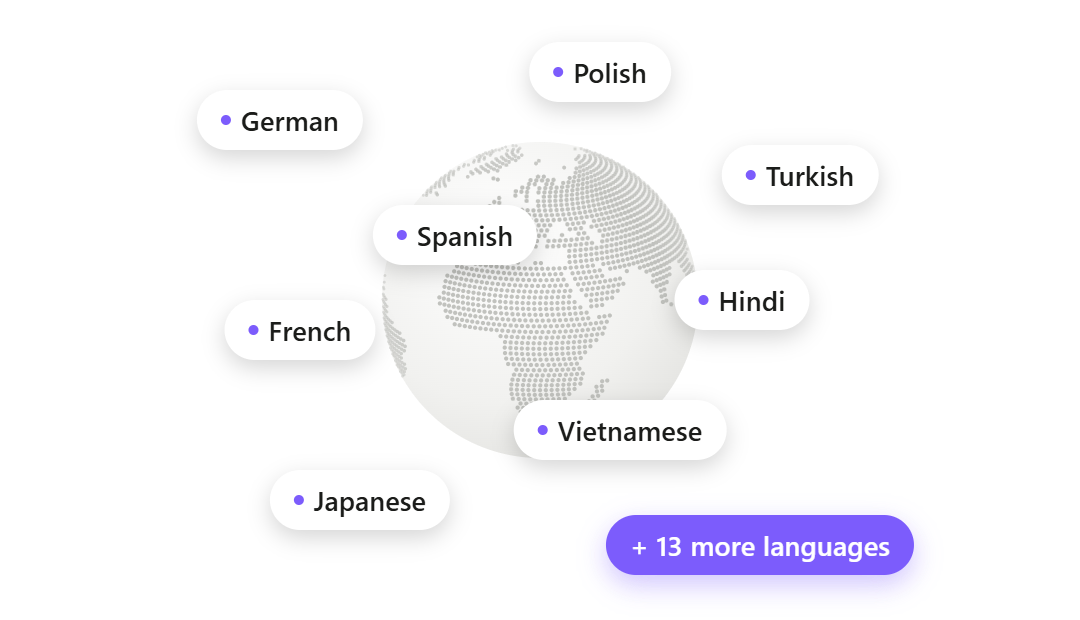
Dubbing the clips. Any clip, or the whole video, can be dubbed into 21 languages. Each speaker is cloned automatically, lines are fitted to the original timing, and the background music stays, so a Spanish-speaking viewer hears the clip in Spanish, in your voice.
Pros
- Five framing modes (Auto, Speaker focus, Blurred background, Split screen, Cut between speakers), a Hook tab for on-screen hook text, pause and filler-word removal, and effects like Punch in, Color pop, Black and white, Flash, and Vignette
- The Subtitle Generator captions the full-length video too: burned in, SRT or WebVTT, transparent caption video (Animation .mov, ProRes .mov, WebM), or an After Effects script, with captions translated into 21 languages
- Text to speech, voice cloning, 13 emotions, speech to text, and a voice changer in the same product, in the browser or a Windows and Mac desktop app
Cons
- Exports files and leaves posting to you; no team workspace
- Fewer animated caption styles than Submagic, and no emojis, B-roll or music libraries, or eye contact correction
- Clips on the desktop app needs a language model to pick the moments: an API key from OpenAI, Gemini, OpenRouter, or DeepSeek, or a model on your own computer (how to connect one). On Cloud, that is built in.
Try the Clips Generator free in your browser or see the desktop one-time pricing. New to clipping? Our guide to turning long videos into short clips walks through it.
Upload a full episode and get captioned clips you can dub in 21 languages
Clip a long video freeOpusClip: Best for Clipping Visual Footage
OpusClip is a clipper first, where Submagic is a captioner with clipping added on, and it is the largest clipping tool by users.
- Best for: footage where the best moments are visual, such as gaming, sports, and vlogs
- Price: free plan with 60 credits a month; Starter $15/mo (150 credits); Pro $29/mo (300 credits, $14.50/mo annual). One credit covers one minute of source video, and monthly credits expire after 60 days (as reported, September 2026).
- Standout: ClipAnything picks moments from visuals, sound, and emotion as well as speech, and scores each clip for "virality"
- Limitation: free exports are watermarked, vertical only, and expire after 3 days
Pros
- Long-video clipping in the base plan instead of an add-on
- Dubs into 25 languages in a clone of your own voice, per its help center
- Direct posting from Starter, scheduling on Pro
Cons
- Caption styling is good but less of a focus than Submagic's
- The per-minute meter is cheaper for a few long uploads and more expensive for a big back catalog
See our OpusClip alternatives breakdown for more.
Vizard: Best for Cheap 4K Clips With a Scheduler
Vizard keeps what Submagic users like (posting and scheduling) and adds long-video clipping and 4K to the base paid plan.
- Best for: creators who want long-video clipping and scheduled posting at the lowest watermark-free price
- Price: free plan with 60 credits a month (720p, watermarked); Creator $29/mo or $14.50/mo annual with 600 credits and 4K export; Business $39/mo or $19.50/mo annual. One credit covers one minute of uploaded video (as reported, September 2026).
- Standout: clips podcasts, webinars, and interviews with auto reframing, captions, AI B-roll, and a scheduler
- Limitation: captions are plainer than Submagic's
Pros
- Direct posting and scheduling from Creator, with 6 social accounts (20 on Business)
- Advertises audio translation into about 30 languages, with little published detail on voices
Cons
- Reviewers report clips that start or end a second off and need trimming
- Free projects expire after 3 days
See our Vizard alternatives breakdown.
Captions: Best for Filming and Editing on an iPhone
Captions (made by Mirage) has caption styling comparable to Submagic's, a cheaper entry plan, real voice dubbing on Max, and a phone app.
- Best for: creators who film on an iPhone and want captioning, editing, and posting in one app
- Price: Free; Basic $9.99/mo; Max $24.99/mo; Frontier from $69.99/mo (iOS, October 2026)
- Standout: teleprompter, eye contact correction, AI Edit styles, AI avatars, and long-to-short clips
- Limitation: its help center lists 10 minutes for captions on iOS and 5 minutes for dubbing
Pros
- A phone app, where Submagic is web only
- Dubbing into 30+ languages, with voice cloning and lip sync through Lipdub on Max and higher
Cons
- Many editing features are iPhone only, and there is no Windows app
- AI features run on credits that are spent on every attempt, exported or not, and free credits do not renew
Our Captions app alternatives guide compares it in more depth.
CapCut: Best for a Free Full Editor
CapCut can produce the same animated-caption look as Submagic, but you build it yourself from templates instead of getting it applied automatically.
- Best for: creators who would rather style captions by hand in a free editor than pay for automation
- Price: free editor; Pro about $19.99/mo or $179.99/yr, varying by region (as reported in 2026 reviews)
- Standout: ByteDance's free editor on mobile, desktop, and web, with a huge library of caption and effect templates and close ties to TikTok
- Limitation: auto captions moved behind Pro in many regions
Pros
- A full editor and a desktop app, with no per-video length tiers
- The cheapest route if you have the time to edit
Cons
- More manual work per video than any tool above
- Features and pricing differ by country
What a Normal Month Costs on Submagic
On Submagic, the length of your longest video picks your plan, and long-video clipping is an extra subscription. Here is what common workloads need, from Submagic's pricing page and help center as of October 2026 (monthly billing, one member):
- 12 shorts under 2 minutes, captioned: Starter, $19
- 12 videos of 3 to 5 minutes, captioned: Pro, $39
- A weekly 15-minute YouTube video, captioned: Business, $69 (Pro stops at 5 minutes)
- Shorts cut from 4 long episodes, captioned: Starter plus Magic Clips, $38
- The same, with a second team member: Starter for 2 members plus Magic Clips, $57
Annual billing lowers the base plans (Starter $12, Pro $23, Business $41 a month), but the shape stays the same. None of these rows include a dubbed version of anything, because Submagic's translation keeps your original audio.
The same month on Voice Creator Pro. Clipping, captions, and dubbing all draw from one monthly token allowance on Cloud (250,000 on the $5 Starter plan, 1,500,000 on the $20 Premium plan), with no per-video length tier and no add-on.
How far the tokens go depends on how much footage you process, so run one representative episode on the free tier before choosing a plan. On the desktop app there is no allowance after the one-time purchase from $54.99 (clip selection uses your own language model key or a local model).
Who should stay on Submagic? Creators who post a steady number of short talking-head videos, care most about trendy caption styles, and want posting in the same tool. For them, Starter or Pro is a fair price.
Compare Cloud plans with the one-time desktop app
See pricingSwitching From Submagic
Switching works best if you cancel before renewal and start from your long recordings rather than your old shorts.
- Download what you want to keep, such as finished videos and any SRT files, before you cancel.
- Cancel before renewal. Plans auto-renew, annual plans must be cancelled before the anniversary date, and Submagic's terms say fees are non-refundable (with a 14-day withdrawal right for consumers in some cases).
- Upload a full episode to the Clips Generator, set the clip length and count, and add a "Guide the AI" prompt.
- Style the captions and hook in the clip editor's Subtitles and Hook tabs.
- Dub the clips that earn views into 21 languages. Free exports are watermarked; Starter at $5 a month removes the watermark.
Run one long episode through the Clips Generator and see the clips it finds
Clip my first episode freeHow to Choose
- Pick Voice Creator Pro, OpusClip, or Vizard if you record long and want shorts from it without an add-on.
- Pick Voice Creator Pro if you want your clips to reach viewers in other languages in each speaker's own voice (OpusClip also dubs in your own voice), or you need caption files or transparent caption layers for an editor.
- Pick Vizard or OpusClip, or stay on Submagic, if you want posting and scheduling built in.
- Pick OpusClip if you clip gaming or sports footage, since ClipAnything reads visuals and sound.
- Pick Captions if you film and edit on an iPhone.
- Pick CapCut if you would rather edit by hand for free.
For the wider category without a Submagic anchor, see the best AI clip makers roundup and our guide to the best subtitle generators.
Try the Clips Generator for free
Also available on Windows and macOS. One-time purchase, unlimited generations.