
Voice Creator Pro is the Spikes Studio alternative that lets you tell the AI which VOD moments to clip
AI surfaces the strong moments in a long VOD, captions them, tightens the cuts, and exports vertical. Voice Creator Pro adds a prompt so you steer which moments it looks for, dubs any clip in a voice you choose, and goes watermark-free at $5 a month instead of $32.99. Compared against Spikes Studio, OpusClip, 2short.ai, and Vizard.
Updated September 2026
Spikes Studio is great until a real streaming schedule meets its meter: the free plan covers roughly 30 minutes of source video a month per its own pricing FAQ, less than one evening's VOD, and getting the watermark off means PRO+ at $32.99 a month billed monthly, whose 300 monthly minutes still hold only a slice of what a regular streamer records.
Voice Creator Pro is built for exactly that footage. You tell the AI which stretch of a long VOD matters before it clips, it hands back captioned vertical cuts with the filler and dead air stripped, and the watermark comes off at $5 a month, with a one-time desktop app for when you want to stop counting minutes. This guide compares Spikes Studio against four alternatives on moment selection and how much you can steer it, caption styling, dubbing, and what removing the watermark costs.
3 Reasons Creators Choose Voice Creator Pro
You direct the clip selection.
Alongside the upload, the Clips Generator takes a prompt describing what to look for. Give a 3-hour VOD "pull my reactions to the boss fights and the chat Q&A moments" and moment selection weights toward those stretches instead of whatever spiked loudest. To be straight about the limits: spoken-word moments, reactions, commentary, banter, answers to chat, are where the AI is strongest. And when a cut misses, you fix it by hand rather than re-rolling the whole generation.
Clips come back postable.
Subtitles are already on every clip, zoom-ins land on the key beats, filler words and dead air are removed automatically, and everything exports vertical for TikTok, Reels, and Shorts, so the distance from VOD to upload queue is minutes, not an editing evening.
One highlight, many languages.
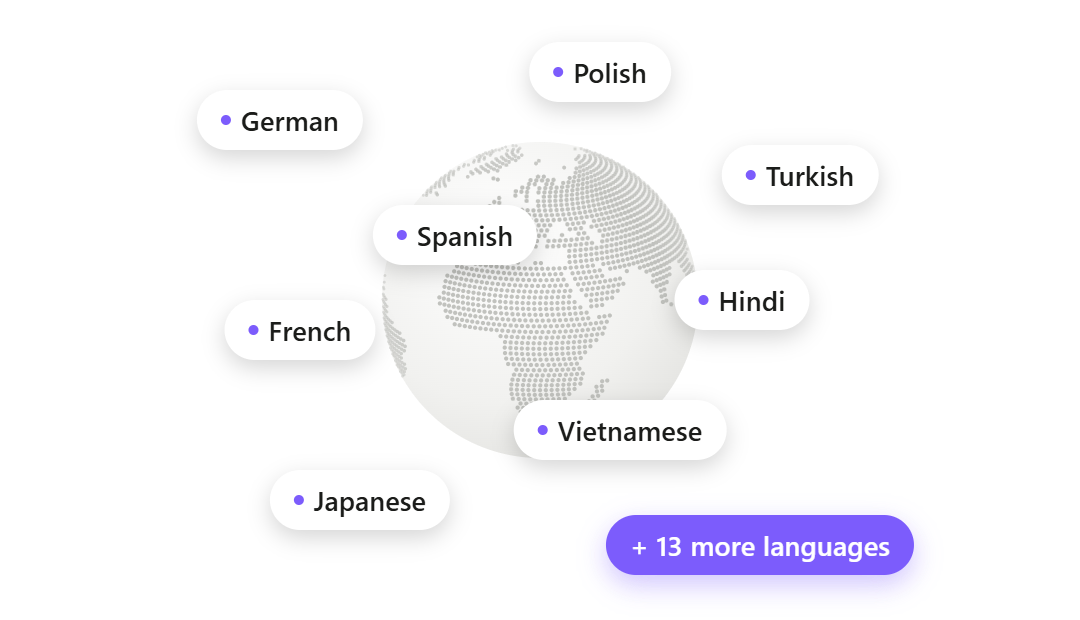
Any clip can be dubbed into up to 21 languages, in whatever voice you pick: your own cloned from a 3 to 10 second sample, a designed voice, or a library voice, assignable per speaker. Underneath sits a full voice stack (voice cloning, 13-emotion text to speech, speech to text, voice changing), so narration, captions, and dubs all happen without leaving the product.
How Voice Creator Pro Compares With Spikes Studio
| Spikes Studio | Voice Creator Pro | |
|---|---|---|
| Pricing (as of September 2026) | Free / PRO+ $32.99/mo (or $14.09/mo annual) / Enterprise $115.99/mo | Cloud free tier / $5 / $20 per month; desktop one-time from $54.99 |
| Metering | Minutes of source video: ~30 free, 300/mo on PRO+ | Monthly tokens on Cloud. Desktop: pay once, no credits; uses your LLM API key |
| AI clipping | Smart Moment Detection, broadcast-trained claim | AI moment-finding, steerable with a context prompt |
| Captions | Animated, 99+ languages and up to 99% accuracy claimed | Animated and styleable: word-by-word highlighting, fonts, background boxes, saved presets |
| Auto-editing | Auto transitions, zooming, caption styling | Zoom-ins, filler-word and dead-air removal included |
| Dubbing | Not supported | Up to 21 languages per clip |
| Voice tools | None advertised | TTS with 13 emotions, 3 to 10 second voice cloning, STT, voice changing |
| Publishing | One-click posting, scheduler, analytics dashboard | Export the file (no direct posting) |
| Free tier | Watermark, 720p, storage lifespan 7 days | Watermarked clips, the file is yours |
| Platform | Web only | Browser + desktop app |
Quick Comparison
| Tool | Metering | Watermark-free from | Dubbing | Publishing | Best for |
|---|---|---|---|---|---|
| Spikes Studio | Minutes of source video (~30 free, 300/mo PRO+) | $32.99/mo (or $14.09/mo annual) | Not supported | Posting + scheduler + analytics | Streamers who want clipping and distribution in one dashboard |
| Voice Creator Pro | Cloud: monthly tokens. Desktop: pay once, no credits | $5/mo | Up to 21 languages | Export file | Steering what gets clipped from long VODs, multilingual clips |
| OpusClip | 1 credit per source minute (60 free, 150 Starter) | $15/mo | 25 languages, own voice | Direct post + scheduler (paid) | Non-speech gaming and sports footage via ClipAnything |
| 2short.ai | Analysis hours (30 min free, 5 hrs Lite) | Not stated for free | Not supported | None | Budget clipping of captioned YouTube videos |
| Vizard | 1 credit per source minute (60 free, 600 Creator) | $29/mo ($14.50/mo annual) | Audio translation advertised, details thin | Direct post + scheduler | Cheap 4K plus built-in publishing on annual billing |
Overview of Spikes Studio
Best for: streamers and creators who want AI clipping, publishing, and analytics inside one web dashboard.
Spikes Studio is an AI clip generator with a streaming heritage. It pitches Smart Moment Detection trained on hundreds of thousands of broadcasts, automatic transitions, zooming and caption styling, and instant resizing for every platform. Where it goes further than most clippers is distribution: one-click publishing, a cross-platform scheduler, and a unified analytics dashboard with per-post growth tracking, so a clip can go from VOD to posted without leaving the app. It claims over one million users and top Product Hunt ratings, both its own figures.
- Clipping AI: Smart Moment Detection with a broadcast-trained pitch; auto transitions, zooming, and caption styling.
- Captions: animated, with a claimed 99+ languages and up to 99% accuracy (their claims); the caption-only editing tab is limited to videos up to 5 minutes.
- Publishing: one-click posting, scheduler, unified analytics, AI titles and hashtags.
- Pricing (as of September 2026): Basic free ($0), PRO+ $32.99/mo billed monthly or $14.09/mo billed annually, Enterprise $115.99/mo billed monthly. The free plan includes roughly 30 minutes of video a month, a watermark, 720p export, and a 7-day storage lifespan. PRO+ adds no watermark, 1080p, AI B-roll, GIFs and animations, music and SFX, a scheduler, and 90-day storage.
Why people look for alternatives: the loudest reason is billing. Reviewers on Trustpilot, where Spikes holds 2.3 out of 5 as of September 2026, report subscriptions that kept charging after cancellation, stalled refunds, and support that was nearly impossible to reach. Beyond that, reviewers and competing tools say the AI can miss fast gameplay moments because detection leans on speech and broad cues, the free tier is closer to a demo (30 minutes, watermark, 720p, 7-day storage), and AI clip picks often need manual cleanup.
1. Alternative: Voice Creator Pro
Best for: streamers and long-form creators who want to steer what gets clipped out of hours of footage, and whose clips should exist in more than one language.
For a Spikes user, the Clips Generator covers the loop you already run: upload a long video, the AI surfaces the strongest moments as several ready clips, captions go on automatically, and exports come out vertical for TikTok, Reels, and Shorts. The differences are in how much of that loop you control.
Steer the selection, then fix cuts by hand. Before clipping, you hand the AI the context it cannot guess. Upload a 5-hour variety stream and prompt "the story about the convention trip and my takes on the new patch," and moment selection weights toward those segments; the same VOD prompted "the coaching advice I gave during ranked" returns a different set. When a clip starts a beat late, you drag the cut yourself instead of re-running the generation.
Style the captions to your channel. Every clip's subtitles are styleable: karaoke-style word-by-word highlighting, font and size control, background boxes that stay readable over busy gameplay footage, and saved presets so all your clips ship in one look.
Dub in any voice. Any clip can be dubbed into up to 21 languages, and the dub voice is yours to choose: a clone of your own voice from a 3 to 10 second reference, a designed voice, or a library voice, mapped per speaker. The voice stack behind it (zero-shot cloning, 13-emotion text to speech, speech to text, voice changing) also works standalone, so a clip can pick up narration or a voice-over without a second tool. Spikes advertises no dubbing or voice features at all.
Where Spikes still wins: distribution. One-click publishing, a cross-platform scheduler, and a per-post analytics dashboard mean a Spikes clip goes from VOD to posted and tracked without leaving the app, while Voice Creator Pro exports a file and leaves the uploading to you. Spikes also bundles creative extras (AI B-roll, GIFs, music and SFX) on PRO+. And on silent, commentary-free gameplay, OpusClip's ClipAnything is the stronger pick than either; the stream-VOD section below gives the honest split.
- Pricing: Cloud free tier (clips and dubbing included, watermarked, 5,000 tokens a month); Starter $5/mo removes the watermark; Premium $20/mo for volume; desktop app one-time from $54.99, with no credits or minutes to count. Clip picks run on an AI model you connect: your own LLM API key, billed by that provider (how to connect one). Against Spikes, the edge is that watermark-free starts at $5 instead of $32.99 billed monthly, and the desktop route has no minutes to ration VODs against.
Try the Clips Generator free in your browser or see the desktop one-time pricing.
2. Alternative: OpusClip
Best for: clipping footage where nothing quotable is said, and creators who want the category leader's ecosystem.
OpusClip is the biggest name in AI clipping, claiming over 16 million users. Its standout for the Spikes audience is ClipAnything, a clipping model that uses visual objects, sound, and emotion cues rather than transcript alone, so it can clip gaming, sports, and vlog footage with no dialogue. It also posts directly to Shorts, TikTok, and Instagram from the Starter plan, with a scheduler on Pro.
- Metering: 1 credit per minute of source video. Free 60 credits/mo, Starter 150, Pro 300; monthly credits expire after 60 days.
- Clipping AI: ClipAnything (speech, visual, sound, and emotion cues) on paid plans; free is spoken-words only.
- Pricing (as of September 2026): Free, Starter $15/mo, Pro $29/mo ($14.50/mo billed annually), Business custom.
How it compares to Spikes: OpusClip is the safer pick for the same job. It has the strongest documented non-speech clipping in the category, which is exactly where reviewers say Spikes can miss fast gameplay moments, and it matches Spikes on direct publishing and scheduling. The trade-off is the same per-minute metering problem: 150 Starter credits is two and a half hours of VOD a month.
Considerations
- The per-minute credit model punishes long VODs just like Spikes' minutes do.
- Free exports are watermarked, 9:16 only, and expire after 3 days.
- Dubbing covers 25 languages but only in a clone of your own voice, per OpusClip's help center as of September 2026, with plan requirements and credit costs not clearly published.
See the full OpusClip alternatives comparison.
3. Alternative: 2short.ai
Best for: hobbyists clipping captioned YouTube videos on a budget.
2short.ai is a lightweight indie tool built around one workflow: paste a YouTube link, get short clips with animated subtitles and speaker-centered cropping. At $9.90 a month for the Lite plan it is the cheapest paid entry in this set, and reviewers consistently praise how fast setup is.
- Metering: "AI video analyzing" hours per month: 30 minutes free, 5 hours on Lite, 15 on Pro, 50 on Premium; Lite also caps fast server-side exports at 60 minutes a month.
- Clipping AI: best-moment detection that leans on spoken content and YouTube captions; works best with podcasts, education, and commentary.
- Pricing (as of September 2026): Free, Lite $9.90/mo, Pro $19.90/mo, Premium $49.90/mo.
How it compares to Spikes: 2short is the opposite bet. Spikes courts streamers with a broadcast-trained model, publishing, and analytics; 2short is a single-purpose YouTube-link machine with no posting, no scheduler, and no gaming pitch at all. If your VODs live on YouTube with decent captions and your volume is low, it costs a third of Spikes PRO+. For Twitch-first streamers with hours of raw footage, its caption dependency and small meters are the wrong shape.
Considerations
- Built around importing links rather than uploading files, and it leans on existing captions, so raw gameplay footage is a poor fit.
- No dubbing, no voice features, no publishing tools.
- Indie project with a solo builder, so expect a smaller feature surface than the venture-scale tools.
See the full 2short.ai alternatives comparison.
4. Alternative: Vizard
Best for: talk-heavy creators who want cheap 4K exports and built-in publishing on annual billing.
Vizard is an AI clipper aimed at podcasts, webinars, and interviews. Its Creator plan on annual billing ($14.50/mo as of September 2026) is one of the cheapest watermark-free 4K entries in the category, and publishing is built in from the start, with direct posting and a scheduler across up to 6 social accounts on Creator.
- Metering: 1 credit per minute of uploaded source video; 60 free, 600 a month on the Creator baseline.
- Clipping AI: AI highlights with auto-reframing, strongest on talk content.
- Dubbing: Vizard advertises audio translation on a tool page (roughly 30 languages), though it publishes no detail on voice quality or credit cost.
- Pricing (as of September 2026): Free, Creator $29/mo ($14.50/mo billed annually), Business $39/mo ($19.50/mo billed annually).
How it compares to Spikes: Vizard matches Spikes on the publishing dashboard and beats it on watermark-free price, but it is tuned for the opposite content. Its marketing and its reviews center on podcasts and webinars, not streams, and its 600 Creator minutes evaporate against multi-hour VODs just like Spikes' 300 do. Pick it if you left Spikes because of price rather than because of gaming detection.
Considerations
- The same upload-minute metering problem; reviewers call it a credit trap for long-form.
- Reviewers on G2 and Capterra report slow rendering on long videos.
- Free-plan projects expire after 3 days.
Clipping Stream VODs Is a Different Problem Than Clipping Podcasts
Every tool on this page says it clips long videos. But a stream VOD is not a podcast episode, and the difference decides which tool fits. Three things set VODs apart.
1. VODs are hours long, and minute meters cannot keep up.
A podcast episode is 45 to 90 minutes. A stream is 3 to 8 hours, several times a week, and per-minute metering charges you for every minute of it whether or not a single clip comes out. Take a streamer with two 3-hour VODs a week, roughly 1,560 minutes of source video a month, and run the math against each tool's cap as of September 2026:
| Plan | Monthly allowance | Share of 1,560 VOD minutes covered |
|---|---|---|
| Spikes Studio PRO+ ($32.99/mo) | 300 min | About a fifth |
| OpusClip Starter ($15/mo) | 150 credits (minutes) | About a tenth |
| 2short.ai Lite ($9.90/mo) | 5 hours (300 min) | About a fifth |
| Vizard Creator ($29/mo) | 600 credits (minutes) | Under half |
| VCP desktop (one-time from $54.99) | Pay once, no credits; clip picks on your LLM API key | All of it |
No cloud clipper in this set covers a real streaming schedule on its entry plan. You either pre-trim VODs by hand before uploading, pay for a higher tier, or use a tool that doesn't count minutes. This is the single biggest reason the desktop escape hatch matters for streamers specifically.
2. Stream highlights are often non-verbal.
A podcast's best moments are sentences, which is why transcript-led AI clipping works so well on speech. A stream's best moments are often not: a clutch play, a jump scare, a fail, a minute of stunned silence. Tools split cleanly on this. OpusClip's ClipAnything is the best-documented answer, using visual objects, sound, and emotion cues to clip footage where nothing is said. Spikes pitches its model as broadcast-trained, but reviewers and competing tools report it can miss fast gameplay moments because detection leans on speech and broad cues. 2short leans on captions and spoken content by its own description, and Vizard's marketing centers on talk.
Voice Creator Pro sits with the honest middle: its AI surfaces the strongest moments in a video and is strongest on spoken-word moments, which for most streamers means commentary, reactions, banter, and calls. Since so many viral stream clips are the streamer reacting to the play rather than the play alone, that covers more of a VOD than you might expect. But if your channel is silent, commentary-free gameplay, a visual-cue model like ClipAnything, or manual clipping of the moments you already know, is the more truthful recommendation.
3. Chat is the highlight reel nobody reads.
On Twitch, the audience marks the moments for you: a wall of emotes is a timestamp. Third-party writeups describe Spikes' streaming-era workflow as including a mod-triggered "spike" keyword to mark moments during a broadcast, but that workflow is not visible on Spikes' current site as of September 2026, so treat it as historical unless you can confirm it in-app. None of the other tools here advertises reading chat at all. The practical workaround is old-fashioned: skim your chat replay for reaction spikes, note the timestamps, and feed the surrounding segments to whichever clipper you use. It turns an 8-hour VOD into 40 minutes of candidate footage and makes every meter above last five times longer.
For the streamer-specific workflow with VCP, from VOD to vertical clip with subtitles and a dub, see the gaming clip maker page.
Comparison
Metering. WinnerVoice Creator Pro, on the strength of the desktop app Cloud plans include monthly tokens, but the desktop app is pay once with no credits (clip picks run on your own LLM API key), against Spikes' roughly 30 free minutes and 300 PRO+ minutes a month.
Price of removing the watermark. WinnerVoice Creator Pro $5 a month, against $32.99 billed monthly (or $14.09 a month on an annual commitment).
Dubbing and voice tools. WinnerVoice Creator Pro Up to 21 languages per clip plus cloning, emotional TTS, STT, and voice changing, against no dubbing or voice features advertised.
Publishing and analytics. WinnerSpikes Studio One-click posting, a scheduler, and a per-post analytics dashboard that VCP does not offer at all.
Creative extras. WinnerSpikes Studio AI B-roll, GIFs and animations, and a music and SFX library bundled on PRO+.
Caption language breadth. WinnerSpikes Studio, on its own claim 99+ caption languages claimed, against VCP's 21 dubbing languages. VCP dubs audio where Spikes captions it, but on raw caption-language count Spikes' stated number is larger.
Result: 3 to 3 on rounds, but weigh them by what you touch daily. The meter and the watermark price affect every single upload; the extras matter when you use them.
How to Choose
You stream for hours several times a week: Voice Creator Pro desktop. It is the only option here with no credits or minutes to count, and the one-time purchase means no subscription to manage.
Your best moments are silent gameplay: OpusClip, whose ClipAnything model is built for footage where nothing is said.
You want clipping, posting, and analytics in one dashboard: Spikes Studio or Vizard. That all-in-one distribution loop is genuinely theirs; just go in with the Trustpilot billing reports in mind for Spikes, and consider paying month to month.
You clip captioned YouTube videos occasionally: 2short.ai at $9.90 a month.
You want one clip to reach more than one language market: Voice Creator Pro dubs clips into up to 21 languages in any voice; OpusClip dubs into 25 in a clone of your own voice, with costs less clearly published.
Beyond these five, our roundup of the best AI clip makers ranks the whole category without a Spikes anchor.
Ready to clip whole VODs? Try the Clips Generator free in your browser or get the desktop app for one-time pricing with no usage caps.
Try the Clips Generator for free
Also available on Windows and macOS. One-time purchase, unlimited generations.