
Voice Creator Pro is the 2short.ai alternative that clips the moments you ask for, from any video
Tell the AI which moments to pull, clip any video you upload, and dub every clip into up to 21 languages in any voice. Watermark-free from $5 a month, or a one-time purchase desktop app with unlimited generations. Compared against 2short, OpusClip, Vizard, Spikes Studio, and Descript.
Updated September 2026
2short.ai is great until your free month's 30 minutes of AI analyzing vanish into a single episode, or you go to clip a video and remember it has to already be sitting on YouTube with captions before the AI can see it. Paying does not fully release the brakes either: Lite at $9.90 a month binds a weekly producer with two caps at once, 5 analyzing hours and 60 fast-export minutes.
Each of those has a fix. The top pick in this guide, Voice Creator Pro, clips whatever file you upload, no prior YouTube hosting required, and takes a prompt telling the AI which moments to look for before it cuts. This guide compares five alternatives to 2short on metering, input sources, how much you can steer the clip selection, and what post-ready output and dubbing you get for the money.
3 Reasons Creators Choose Voice Creator Pro
Clips that follow your direction.
Before the AI cuts anything, you hand it a prompt with the context only you have. Feed it a 40-minute tutorial and ask for "the aha moments, the steps where the result visibly comes together, each one strong enough to stand alone as a Short," and moment selection weights toward exactly those beats instead of whatever sounded most dramatic. When a cut lands slightly off, you fix it by hand rather than re-rolling the whole generation.
Output you can post as-is.
Every clip leaves the generator with subtitles applied, zoom-ins on the key beats, and the filler words and dead air already trimmed, exported vertical for TikTok, Reels, and Shorts. What lands in your folder is a minute from publishable, not a rough cut waiting for an editing session.
Every clip can travel.
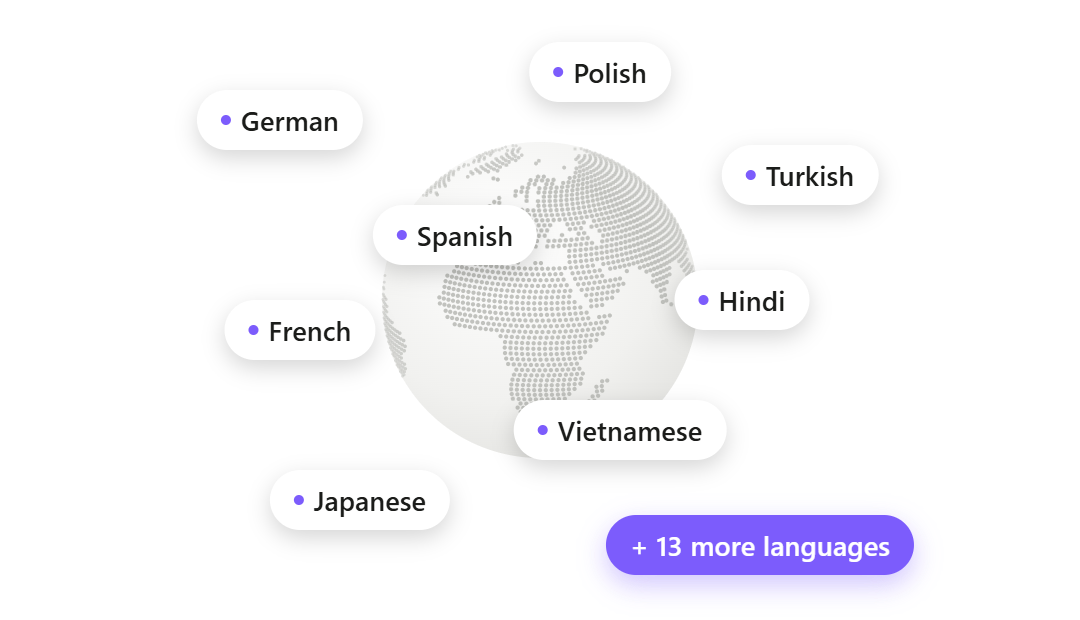
Dub any clip into up to 21 languages in whatever voice you choose: your own, cloned from a 3 to 10 second reference, a designed voice, or a library voice, assigned per speaker. Underneath sits a full voice stack (voice cloning, 13-emotion text to speech, speech to text, voice changing), so narration, captions, and dubs all happen without leaving the product.
How Voice Creator Pro Compares With 2short.ai
| 2short.ai | Voice Creator Pro | |
|---|---|---|
| Metering | AI analyzing hours per month (30 min free, 5 to 50 hrs paid), plus a 60-min export cap on Lite | Monthly tokens on Cloud. Desktop: pay once, no credits; uses your LLM API key |
| Input sources | YouTube links; Google Drive and public URLs on paid tiers | Upload your video |
| AI clipping | Best-moment detection, leans on YouTube captions, spoken-word content | AI moment-finding, steerable with a context prompt |
| Auto-editing | Facial tracking, cropping, brand presets | Zoom-ins, filler and dead-air removal included |
| Captions | Animated subtitles, 25+ languages | Animated and styleable: word-by-word highlighting, fonts, background boxes, saved presets |
| Dubbing | Not supported | Up to 21 languages per clip |
| Voice tools | None | Voice cloning from 3 to 10 seconds, 13-emotion TTS |
| Publishing | None (export only) | Export file (no direct posting) |
| Platform | Web only, no API | Browser + desktop app |
| Pricing (as of September 2026) | Free / $9.90 Lite / $19.90 Pro / $49.90 Premium | Cloud free tier / $5 / $20 per month; desktop one-time from $54.99 |
Quick Comparison
| Tool | Metering | Starting paid price (as of September 2026) | Dubbing | Publishing | Best for |
|---|---|---|---|---|---|
| 2short.ai | 30 min free analyzing/mo; 5 to 50 hrs paid | $9.90/mo | Not supported | Export only | Low-volume clipping of published YouTube videos |
| Voice Creator Pro | Cloud: monthly tokens. Desktop: pay once, no credits | $5/mo Cloud; $54.99 desktop once | Up to 21 languages per clip | Export only | Prompt-steered clipping from any source, in many languages |
| OpusClip | 1 credit per source minute; 60 free/mo | $15/mo | 25 languages, own voice | Direct post + scheduler | Scale, non-speech footage, teams |
| Vizard | 1 credit per source minute; 60 free/mo | $29/mo ($14.50/mo annual) | Audio translation advertised, details thin | Direct post + scheduler | Watermark-free 4K with built-in publishing |
| Spikes Studio | ~30 free min/mo; 300 min/mo on PRO+ | $32.99/mo ($14.09/mo annual) | Not supported | One-click publishing + analytics | Streamers and gaming VODs |
| Descript | Media hours plus AI credits | $16 to $24/mo | 30+ languages advertised, credit-metered | Direct posting | Editing clips word by word inside a full editor |
Overview of 2short.ai
Best for: a hobbyist or occasional creator clipping one or two published YouTube videos a month.
2short is an indie product built by a solo developer in Slovakia, and its simplicity is the point. There is no upload step for YouTube-hosted content: paste the link, and the AI extracts the best moments as short clips, keeps speakers centered with facial tracking, and applies animated subtitles in one click. It exports vertical, square, and horizontal formats, and its Lite plan at $9.90 a month undercuts OpusClip's $15 Starter and most of the category.
- Clipping AI: finds the best moments in spoken-word content (podcasts, education, commentary). Its own site notes it relies on YouTube auto-generated captions and works best with speech-heavy videos.
- Inputs: YouTube links on every tier; Google Drive and public URL imports from Lite up. Web app only, no API.
- Captions: animated subtitles in 25+ languages.
- Pricing (as of September 2026): Starter free with 30 minutes of AI analyzing a month; Lite $9.90/mo (5 analyzing hours, 60 fast-export minutes); Pro $19.90/mo (15 hours, unlimited fast exports); Premium $49.90/mo (50 hours). No annual pricing shown.
Why people look for alternatives: the analyzing meter is small (30 free minutes is a demo, and Lite's dual cap bottlenecks anyone producing weekly), the tool is built around importing links rather than uploading files, it depends on existing captions and struggles with non-spoken-word footage, and there is no dubbing, no direct posting, no scheduler, no team seats, and no API.
1. Alternative: Voice Creator Pro
Best for: creators who clip from more sources than YouTube, want a say in which moments get picked, or need each clip in more than one language.
If 2short's paste-a-link flow is your baseline, the Clips Generator starts one step earlier: you upload the video file itself. A YouTube export, a Zoom recording, a webinar, or footage that has never been published anywhere all enter the same way, and the AI analyzes the video directly rather than leaning on captions that already exist. From there it surfaces the strongest moments as several ready clips per video, and there is a dedicated YouTube Shorts maker flow for the exact use case 2short targets.
Steering the picks. Alongside the upload, you can give the AI a prompt describing what to look for. Upload last week's hour-long live Q&A and tell it "pull the questions where I give a concrete, step-by-step answer, aimed at viewers who just found the channel," and moment selection weights toward those exchanges rather than whichever moment spiked loudest. When a cut is not quite right, you edit it by hand instead of re-running the generation, so the finished set reflects your judgment, not a retry loop.
Finishing and captions. Auto-edit adds zoom-ins on key beats and strips filler words and dead air, and exports come out vertical for TikTok, Reels, and Shorts. Subtitles are built in and styleable: karaoke-style word-by-word highlighting, font and size choices, background boxes for busy footage, and saved presets so the channel keeps one look. The same engine powers the standalone subtitle generator for videos you did not clip.
Going multilingual. Any clip can be dubbed into up to 21 languages, in any voice you choose: your own cloned from a 3 to 10 second reference, a designed voice, or a library voice, mapped per speaker. Behind it sits the full voice stack (zero-shot cloning, 13-emotion text to speech, speech to text, voice changing), so a clip can get narration, captions, and a dub without leaving the app.
Where 2short still wins: price and speed for casual YouTube-link clipping. If everything you clip is already a published, captioned YouTube video and your volume fits inside a few analyzing hours a month, pasting a link is faster than uploading a file, and Lite's $9.90 is a fair hobby price. Neither tool posts directly to social platforms; both export the file.
- Pricing (as of September 2026): Cloud free tier (clips and dubbing included, watermarked, 5,000 tokens a month); Starter $5/mo removes the watermark; Premium $20/mo for volume; desktop app one-time purchase from $54.99, with no credits or minutes to count. The Clips Generator picks clips with an AI model you connect: your own LLM API key, billed by that provider (how to connect one).
Try the Clips Generator free in your browser or see the desktop one-time pricing.
2. Alternative: OpusClip
Best for: creators and teams who want the category leader, non-speech clipping, and direct publishing.
OpusClip sits at the other end of the market from 2short: the category heavyweight, claiming over 16 million users, with a mature ecosystem of brand templates, team workspaces, an API on its Business plan, and a per-clip virality score. Its ClipAnything model also goes beyond the transcript, clipping by visual objects, sound, and emotion cues.
- Pricing (as of September 2026): free (60 credits/mo, watermarked, 9:16 only, exports expire after 3 days), Starter $15/mo, Pro $29/mo. One credit is one minute of source video processed.
- Publishing: direct posting to Shorts, TikTok, and Instagram from Starter, with a scheduler on Pro.
How it compares to 2short: OpusClip is the scale-up path. It takes far more input sources (uploads to 10GB plus YouTube on free, and Google Drive, Vimeo, Zoom, Rumble, and StreamYard imports on Starter), it can clip gaming and vlog footage where 2short's caption-dependent analysis fails, and it posts clips for you. The trade is price and the same underlying disease: everything is still metered per minute of source video, at a higher monthly cost than 2short.
Considerations
- The per-minute credit model punishes long-form creators; one hour-long episode consumes 60 credits, 40% of a Starter month.
- Reviewers report the free tier feels like a demo, and monthly credits expire after 60 days.
See our full OpusClip comparison.
3. Alternative: Vizard
Best for: the cheapest watermark-free 4K clipping with publishing built in, if you commit annually.
Vizard is a web clipper aimed at talk-based content (podcasts, webinars, interviews) with AI highlights, auto-reframing, B-roll suggestions, and a post scheduler on every paid plan. Its Creator plan at $14.50/mo on annual billing includes 4K export, no watermark, 600 upload minutes, and management of six social accounts.
- Pricing (as of September 2026): free (60 credits/mo, watermarked, 720p, projects expire after 3 days), Creator $29/mo monthly or $14.50/mo annual, Business $39/mo monthly. One credit is one minute of uploaded source video.
- Dubbing: Vizard advertises audio translation into roughly 30 languages on a tool page, with no published detail on voice quality or credit cost.
How it compares to 2short: Vizard accepts direct file uploads (up to 1GB per file even on free), publishes and schedules posts for you, and exports 4K, all things 2short does not do. The annual Creator price lands close to 2short territory with far more included. The catch is that the monthly list price is $29, three times 2short's Lite, and the same per-minute credit meter applies to every upload.
Considerations
- Reviewers on G2 and Capterra report slow rendering on long videos and clips that need manual cleanup before posting.
- Vizard claims 100+ caption languages; one June 2026 review counted about 25 supported for transcription.
4. Alternative: Spikes Studio
Best for: streamers and gaming YouTubers who want clipping, publishing, and analytics in one place.
Spikes Studio pitches a clip model trained on broadcasts, with automatic transitions, zooming, animated captions in a claimed 99+ languages, one-click publishing, a scheduler, and a unified analytics dashboard. It built its name on clipping streams, though its current homepage shows file upload as the input.
- Pricing (as of September 2026): free (about 30 minutes of video a month, watermarked, 720p, 7-day storage), PRO+ $32.99/mo monthly or $14.09/mo annual (300 minutes a month), Enterprise from $115.99/mo monthly.
How it compares to 2short: Spikes covers the distribution half that 2short skips entirely, with publishing, scheduling, and analytics, and its gaming heritage fits footage 2short's caption-led analysis handles poorly. But its free tier is about as small as 2short's, its monthly price is the highest in this list, and its trust picture is rough: reviewers on Trustpilot (2.3/5) report subscriptions that keep charging after cancellation and support that does not respond.
Considerations
- Billing complaints are the loudest churn driver in its reviews; weigh that before entering a subscription.
- Reviewers also note the AI can miss fast gameplay moments, since detection leans on speech and broad cues.
See our full Spikes Studio comparison.
5. Alternative: Descript
Best for: people who want to fix clips word by word inside a real editor, not just accept what the AI picked.
Descript is an all-in-one AI video editor that also makes clips. Its Create Clips tool generates 1 to 20 clips as editable compositions, and that is the differentiator: you trim by deleting transcript words, remove filler, repair audio with Studio Sound, and restyle captions, all in place. It records too, so Zoom-style remote interviews can be captured, edited, and clipped in one project.
- Pricing (as of September 2026): free (60 media minutes/mo, 100 one-time AI credits, 720p watermarked), Hobbyist $16/mo annual or $24 monthly, Creator $24/mo annual or $35 monthly. Plans meter media hours and AI credits separately.
- Dubbing: translation and dubbing into 30+ languages is advertised, credit-metered, with tier availability varying.
How it compares to 2short: Descript is the opposite philosophy. 2short is paste-a-link-get-clips with almost no editing control; Descript is source-agnostic and hands you full control over every frame and word of the clip. If 2short's thin editing is what pushed you away, Descript fixes exactly that. The costs are a real learning curve, a double meter (media hours plus AI credits with unpublished per-run costs), and no direct social posting.
Considerations
- Clip-only users pay for and learn a full multitrack editor they may never use.
- Reviewers report performance lag on long projects, and AI operations run server-side even in the desktop apps.
YouTube-First vs Any-Source Clipping: What 2short's Focus Gives You and What It Costs
This is the structural choice behind the whole comparison, and it matters more than any single feature.
What YouTube-first buys you. For content that already lives on YouTube, 2short's model is genuinely the fastest path: no upload, no storage, no waiting on a 2GB file to transfer. Paste the link and the analysis starts. Leaning on YouTube's existing auto-captions also plays to its strength on spoken-word content, since the transcript the AI needs is already there. If every video you clip is a published, captioned YouTube talking video, that focus is a feature.
What it costs. Most working creators have sources that never touch YouTube, or should not before clipping:
- Zoom and meeting recordings. Client calls, internal webinars, and remote interviews are files on a drive, not public links. On 2short's free plan there is no route in at all; on paid plans you would first move them to Google Drive or a public URL, since 2short is built around importing links rather than uploading files (its own pages describe YouTube, Google Drive, and public URL imports and never mention a direct upload button).
- Pre-publication footage. If you want to launch a video and its Shorts together, YouTube-first ordering forces you to publish the long-form first, then clip it.
- Podcast video on other platforms. Episodes hosted on Spotify, Riverside, or a private feed need re-hosting somewhere linkable before 2short can see them.
- Footage without clean speech. 2short's own site says it works best with spoken-word content and relies on auto-generated captions, and reviews report it struggling with music, live performances, and non-speech footage.
Where the alternatives sit on this axis. Voice Creator Pro and Descript are fully source-agnostic: you upload (or, in Descript's case, record) whatever you have, and with VCP's desktop app the file never has to leave your machine, which matters for confidential meeting recordings. OpusClip is the most connector-rich, with 10GB uploads plus Google Drive, Vimeo, Zoom, Rumble, and StreamYard imports on Starter. Vizard takes direct uploads from the free tier. Spikes takes file uploads too. In other words, every tool in this list clears the bar 2short treats as a paid feature, so the honest question is simply whether your content ever exists outside YouTube. If it does, pick an any-source tool; if it never does and your volume fits inside a few analyzing hours a month, 2short remains a fair budget pick.
For a wider look at the category beyond this matchup, see our best AI clip makers roundup.
How to Choose
Everything you clip is already on YouTube and volume is low: 2short is the cheapest reasonable pick, and its paste-a-link flow is the fastest in the list.
You clip Zoom calls, webinars, local files, or unpublished footage: Voice Creator Pro, Descript, or OpusClip. 2short's link-first model is the wrong shape for this.
You want clips in more than one language: Voice Creator Pro, which dubs any clip into up to 21 languages as part of the same pipeline. Descript advertises broader language coverage but meters it in credits.
You need direct posting and scheduling: OpusClip, Vizard, or Spikes Studio. Neither 2short nor VCP posts to social platforms for you.
You clip hours of footage a month: Voice Creator Pro desktop: you pay once and never count minutes, and clip selection runs on your own LLM API key. Every other tool here charges by the minute or hour of source video.
Your clips need real editing after the AI pick: Descript, whose text-based editor is the deepest post-clip repair kit in the category.
Ready to clip without counting minutes? Try the Clips Generator free in your browser or get the desktop app for one-time pricing with no usage caps.
Try the Clips Generator for free
Also available on Windows and macOS. One-time purchase, unlimited generations.