
Voice Creator Pro is the Munch alternative that keeps clipping a first-class product you can steer
AI finds the moments, captions them, auto-edits, and exports vertical clips, and you can prompt it on what to look for before it cuts. Add dubbing in any voice across 21 languages, watermark-free from $5 a month instead of a $38/mo bundle. Compared against Munch Studio, OpusClip, Vizard, 2short.ai, and Quso AI.
Updated September 2026
Munch was a perfectly good clipper until the day getmunch.com stopped being one: type the old address now and you land on munchstudio.com, where the company sells Munch Studio, an AI social media management platform for small business owners and agencies. As of September 2026 the self-serve upload-a-video-get-clips product is no longer offered to new users, and the only way back to Munch's clipping is inside a bundle from $38 a month billed annually, with no free tier, just a 7-day trial. The tool you used is now a line item in a social media department you may not want.
If clipping is the job, the fix is a tool that treats it as the whole product and takes direction. Voice Creator Pro's Clips Generator turns a long video into captioned, auto-edited vertical clips, lets you prompt the AI on what to look for before it cuts, and dubs any clip into up to 21 languages in a voice you choose. This guide compares it with Munch Studio and four other clippers (OpusClip, Vizard, 2short.ai, and Quso AI) on what each replaces from the old Munch workflow and what it costs.
3 Reasons Creators Choose Voice Creator Pro
Clips that follow your brief.
Before the AI cuts anything, you hand it a prompt with the context it cannot guess. Feed the Clips Generator a recorded product training and tell it "pull the how-to moments a customer would search for, skip the internal setup talk," and moment selection weights toward exactly those segments. And when a cut lands a beat early or runs a beat long, you fix it by hand instead of re-rolling the whole generation, so the finished set reflects your judgment about what your audience needs.
Output you can post, not raw material.
Every clip arrives with subtitles already on it, zoom-ins on the key beats, and filler words and dead air stripped automatically, exported vertical for TikTok, Reels, and Shorts. The distance between generating a clip and publishing one is minutes, not another editing pass.
Every clip can speak more than one language.
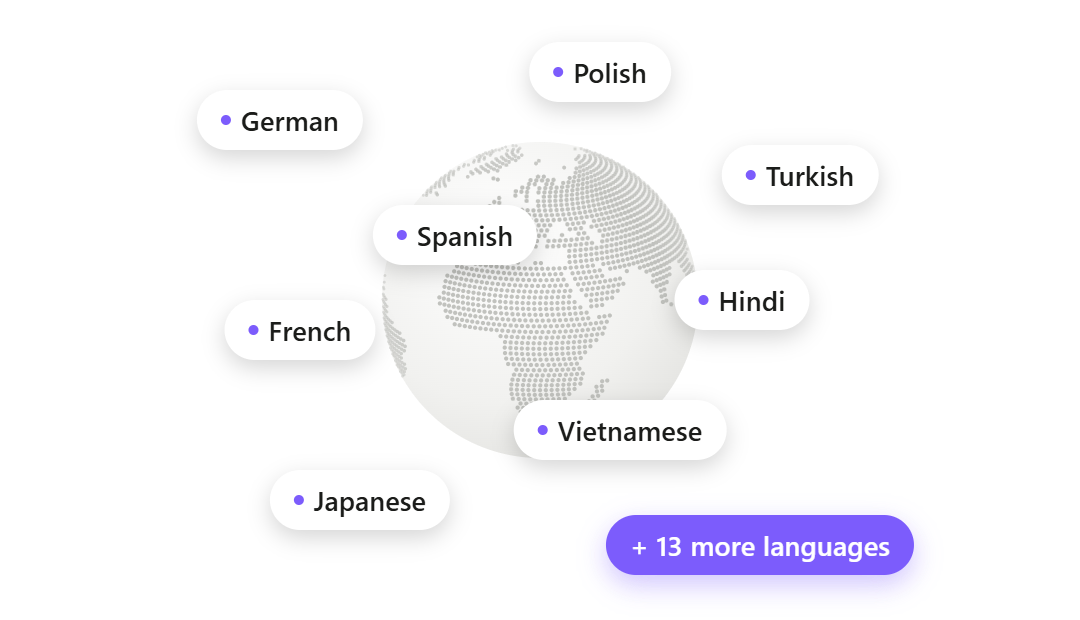
Any clip can be dubbed into up to 21 languages, in whatever voice fits: your own, cloned from a 3 to 10 second reference, a designed voice, or a library voice, assigned per speaker. Underneath sits a full voice stack (voice cloning, 13-emotion text to speech, speech to text, voice changing), so narration, captions, and dubs all happen without leaving the product.
How Voice Creator Pro Compares With Munch Studio
| Munch (Munch Studio) | Voice Creator Pro | |
|---|---|---|
| Product status | Pivoted in 2026: clipping now inside a social media management bundle | Dedicated Clips Generator, browser and desktop |
| Standalone clipping tool | Longer offered to new users | |
| Free tier | None (7-day trial) | Watermarked clips, 5k tokens/mo |
| Cheapest paid plan | $38/mo Essential, billed annually (as of September 2026) | $5/mo Starter |
| Metering | 500 to 1,000 repurposing minutes/mo plus generated-video caps | Monthly tokens on Cloud. Desktop: pay once, no credits; uses your LLM API key |
| One-time purchase option | Desktop from $54.99 | |
| AI clipping | Auto-clipped, scored, platform-formatted clips | AI moment-finding, steerable with a context prompt |
| Captions | Auto-captions; supported languages not published | Animated and styleable: word-by-word highlighting, fonts, background boxes, saved presets |
| Auto-editing | Platform formatting; editing details not published | Zoom-ins, filler-word and dead-air removal included |
| Dubbing | Not supported | Up to 21 languages per clip |
| Voice tools | None advertised | TTS, 3 to 10 second voice cloning, 13 emotions, STT, voice changing |
| Publishing | One-click posting, calendar, performance monitoring | Export file (no direct posting) |
| Non-video content generation | Posts, posters, carousels | |
| Platform | Web only | Browser + desktop app |
Quick Comparison
| Tool | AI clipping | Dubbing | Publishing | Free tier | Starting price | Best for |
|---|---|---|---|---|---|---|
| Munch Studio | Inside the bundle | Not supported | One-click + calendar | 7-day trial | $38/mo billed annually | Small businesses that want social media done for them |
| Voice Creator Pro | Steerable with a prompt | Up to 21 languages, any voice | Export only | Watermarked | Free; $5/mo Cloud; $54.99 desktop once | Clipping plus captions, dubbing, and voice tools in one |
| OpusClip | ClipAnything | 25 languages, own voice | Direct post + scheduler | 60 credits, watermarked | Free; $15/mo | The category leader for pure clipping at scale |
| Vizard | Audio translation advertised, details thin | Direct post + scheduler | 60 credits, watermarked | Free; $29/mo ($14.50/mo annual) | Clipping plus built-in scheduling on a budget | |
| 2short.ai | YouTube-focused | Not supported | Export only | 30 min/mo | Free; $9.90/mo | Hobbyists clipping from YouTube links |
| Quso AI | Not supported | 7 platforms | 75 credits, watermarked | Free; $29/mo ($19/mo annual) | The closest all-in-one suite to what Munch became |
What Happened to Munch?
Munch Studio is now best for: small business owners and agencies who want social media handled end to end, not just clips.
Munch built its name as a self-serve AI clipping tool: upload a long video or Zoom recording, get back auto-clipped, auto-captioned, scored, platform-formatted shorts. In 2026 the company rebranded as Munch Studio and repositioned as "the AI that does your social media marketing for you." The new product "deep learns" your business, generates and posts content after your approval, plans a calendar, and monitors performance. In April 2026 it launched an AI video editing suite that folds clipping back in, but only as a feature of the bundle.
- Clipping: still exists, metered at 500 repurposing minutes a month on Essential and 1,000 on Premium, alongside caps on generated videos.
- Pricing: Essential $38/mo and Premium $60/mo, both billed annually, as of September 2026. Monthly (non-annual) rates are not displayed on the pricing page. There is no free tier, only a 7-day trial.
- Publishing: the core strength of the new product. One-click posting, smart calendar scheduling, and performance monitoring.
- Watermarks and caption languages: not published on the current site.
Why clipping users look elsewhere: the pivot is the big one. The standalone upload-and-clip product is no longer offered to new users, so creators and marketers who used old Munch for repurposing have to migrate somewhere. The pricing floor is the second: $38/mo billed annually is steep if all you want is clips, and old Munch already had a reputation for opaque pricing with no free plan. Third, trust: reviews of the old product on Trustpilot sit at 2.0/5 across 39 reviews, and reviewers there report charges continuing after cancellation and support emails going unanswered. Those complaints are the reviewers' accounts, not our findings, but they are part of why searchers hesitate to follow the company into a bigger subscription.
To be fair to Munch Studio: if what you want is a done-for-you social media manager that writes posts, schedules them, and reports on performance, the new product is a genuine fit, and no pure clipping tool on this page replaces that. This page is for everyone else.
1. Alternative: Voice Creator Pro
Best for: anyone who used Munch to turn long videos into captioned shorts and wants that workflow back, with more control over which moments get picked.
If old Munch was your repurposing pipeline, the Clips Generator picks up where it left off: upload a long video, the AI surfaces the strongest moments as several ready clips, and exports come out vertical for TikTok, Reels, and Shorts. Here is what each step looks like for a migrating Munch user.
Steering the selection. Rather than accepting whatever the AI scored highest, you can brief it first. Upload a 45-minute webinar recording and prompt "pull the segments where we answer customer objections, for an audience of prospects comparing us to competitors," and moment selection weights toward those exchanges instead of the loudest applause line. When a pick misses, you adjust the cut by hand rather than re-running the batch.
Captions. Subtitles are built into every clip and fully styleable: karaoke-style word-by-word highlighting, font and size choices, background boxes for busy footage, and saved presets so everything your account posts keeps one look.
Finishing. Auto-edit adds zoom-ins on key beats and strips filler words and dead air, with manual editing whenever you want the final say.
Dubbing in any voice. Any clip can be dubbed into up to 21 languages, and the dub voice is yours to choose: a voice cloned from a 3 to 10 second reference, a designed voice, or a library voice, assigned per speaker. The wider voice stack (13-emotion TTS, speech to text, voice changing) lives in the same product. New to the workflow? Our guide to turning long videos into short clips walks through it end to end.
Where Munch Studio still wins: done-for-you social management. Munch Studio writes posts, schedules them on a calendar, publishes with one click, and monitors performance; Voice Creator Pro exports the finished clip and distribution is on you. It also generates non-video content (posts, posters, carousels), which VCP does not.
- Pricing (as of September 2026): Cloud free tier (clips and dubbing included, watermarked, 5,000 tokens/mo); Starter $5/mo removes the watermark; Premium $20/mo for volume. The desktop app is a one-time purchase from $54.99 with no credits or minutes to count. It picks clips with an AI model you connect: your own LLM API key, billed by that provider (how to connect one).
Try the Clips Generator free in your browser or see the desktop one-time pricing.
2. Alternative: OpusClip
Best for: pure clipping at scale, from the current category leader.
OpusClip is the biggest name still selling exactly what old Munch sold: upload long video, receive scored short clips. Its ClipAnything model clips any genre (vlogs, gaming, sports, interviews) using spoken words, visual objects, sound, and emotion cues, and it posts directly to Shorts, TikTok, and Instagram from the Starter plan up.
- Pricing: Free (60 credits/mo, watermarked, 9:16 only, exports expire after 3 days), Starter $15/mo, Pro $29/mo, as of September 2026.
- Metering: 1 credit per minute of source video processed, so a 60-minute podcast costs 60 credits regardless of how many clips come out, and monthly-plan credits expire after 60 days.
How it compares to Munch: OpusClip is the safest like-for-like replacement for old Munch's core workflow, with a bigger ecosystem (16M+ claimed users, brand templates, an API on Business) than Munch ever had. The trade-off is the per-minute credit meter, which punishes long-form and back-catalog creators.
See our full OpusClip alternatives comparison, or the three-way breakdown in OpusClip vs Descript vs Voice Creator Pro.
3. Alternative: Vizard
Best for: ex-Munch users who want clipping and the auto-posting side in one paid tool.
Vizard pairs AI clipping with built-in publishing: direct posting, a post scheduler, and multiple social accounts from its Creator plan, which makes it the closest of the pure clippers to Munch's posting workflow. It also advertises audio translation on a tool page (roughly 30 languages), though with no published detail on voice quality or credit cost.
- Pricing: Free (60 credits/mo, watermarked, 720p, projects expire after 3 days), Creator $29/mo or $14.50/mo billed annually, Business $39/mo or $19.50/mo annually, as of September 2026.
- Metering: 1 credit per minute of uploaded source video; the Creator baseline is 600 credits a month.
How it compares to Munch: Vizard covers more of Munch Studio's ground than any other clipper here (clips, captions, scheduling, multiple accounts) at a lower price, without the agency-style management layer. The same per-minute meter caveat as OpusClip applies, and reviewers on G2 and Capterra report slow rendering on long videos.
See our full Vizard alternatives comparison.
4. Alternative: 2short.ai
Best for: hobbyists clipping YouTube content on a small budget.
Where Munch Studio grew into a bundle, 2short.ai went the opposite way: a solo-built tool that does one job, turning a pasted YouTube link into short clips with animated subtitles and speaker-centered cropping. It is also the cheapest paid entry in this set.
- Pricing: Free (30 minutes of AI analysis a month), Lite $9.90/mo, Pro $19.90/mo, Premium $49.90/mo, as of September 2026.
- Metering: analysis hours per month, plus a 60-minute fast-export cap on the Lite tier.
How it compares to Munch: it is the opposite end of the spectrum from where Munch went. No bundle, no publishing, no team features, just inexpensive YouTube-link clipping. It leans on YouTube captions and spoken-word content, so it is the wrong pick for uploading raw local footage or anything without clean speech, and it has no dubbing or voice features.
5. Alternative: Quso AI
Best for: ex-Munch users who wanted the all-in-one direction, at a lower price than Munch Studio.
Quso AI (formerly vidyo.ai, rebranded in early 2025) made a similar bet to Munch: clipping plus a social suite, with a scheduler that auto-publishes to seven platforms, analytics, a content planner, and a brand kit. Unlike Munch Studio, it kept a free tier and self-serve pricing.
- Pricing: Free (75 credits/mo, 720p, watermarked, 7-day data retention), Lite $29/mo ($19/mo billed yearly), Essential $39/mo, Growth $49/mo, as of September 2026.
- Metering: roughly 1 credit per processed minute, and clipping, captioning, and editing all draw from the same monthly pool.
How it compares to Munch: Quso is the closest living relative of what Munch became, so if the suite appeal is real but $38/mo billed annually is not, it is the natural comparison. Reviewers note the suite is wide but shallow as a full social manager, and that credits can run out mid-month even on paid plans.
Where Everything You Used Munch For Lives Now
The searchers landing on this page used old Munch for different jobs. Here is the migration map.
| What you used Munch for | Where it lives now | Why |
|---|---|---|
| Pure clipping (upload long video, get scored shorts) | Voice Creator Pro or OpusClip | VCP is watermark-free at $5/mo with no per-minute meter on desktop; OpusClip is the closest like-for-like to old Munch's workflow at scale. |
| Auto-captions on clips | Voice Creator Pro or Submagic | VCP builds styleable subtitles into every clip: word-by-word highlighting, fonts, background boxes, saved presets. Submagic is a captions-first editor worth a look if captions styling is your whole job (verify its current features and pricing, we have not tested it in depth). |
| Auto-posting, calendar, and performance monitoring | Munch Studio itself or Vizard | Honest answer: done-for-you distribution is now Munch Studio's core strength. Vizard is the budget route to direct posting and scheduling attached to a clipper. |
| Repurposing a back catalog | Voice Creator Pro desktop | The one-time desktop purchase has no monthly minutes to ration, which matters when you are chewing through months of old footage. |
| Multilingual reach | Voice Creator Pro | Dubbing into up to 21 languages per clip, which none of the others advertise as a full feature. |
Two rows deserve emphasis. If you want a social media manager that thinks for you, Munch Studio is still a legitimate answer, and switching to a pure clipper would be a downgrade for that job. And if your job is volume repurposing, the metering column above is the whole decision: Munch Studio (500 to 1,000 min/mo), OpusClip, Vizard, and Quso (roughly 1 credit per source minute), and 2short (analysis hours) all meter the source footage, while the VCP desktop app does not.
How to Choose
You just want clips back: Voice Creator Pro or OpusClip. VCP if you want to brief the AI on what to pull and edit the misses by hand; OpusClip for the closest like-for-like to old Munch at scale.
You want clips in other languages: Voice Creator Pro. Dubbing into up to 21 languages is the one capability nothing else on this page matches.
You want clipping plus scheduling without a management bundle: Vizard or Quso AI.
You want social media fully done for you: Munch Studio, genuinely. That is the product now, and it is good at being that.
You clip occasionally from YouTube links: 2short.ai, at $9.90/mo or free for half an hour of analysis a month.
You repurpose heavy volume or a back catalog: Voice Creator Pro desktop. Pay once from $54.99, never count repurposing minutes, and clip picks run on your own LLM API key.
For the full field beyond Munch's orbit, see our roundup of the best AI clip makers.
Ready to get your clipping workflow back? Try the Clips Generator free in your browser or get the desktop app for one-time pricing with no usage caps.
Try the Clips Generator for free
Also available on Windows and macOS. One-time purchase, unlimited generations.