
Gaming Clips
Turn Streams into Gaming Clips
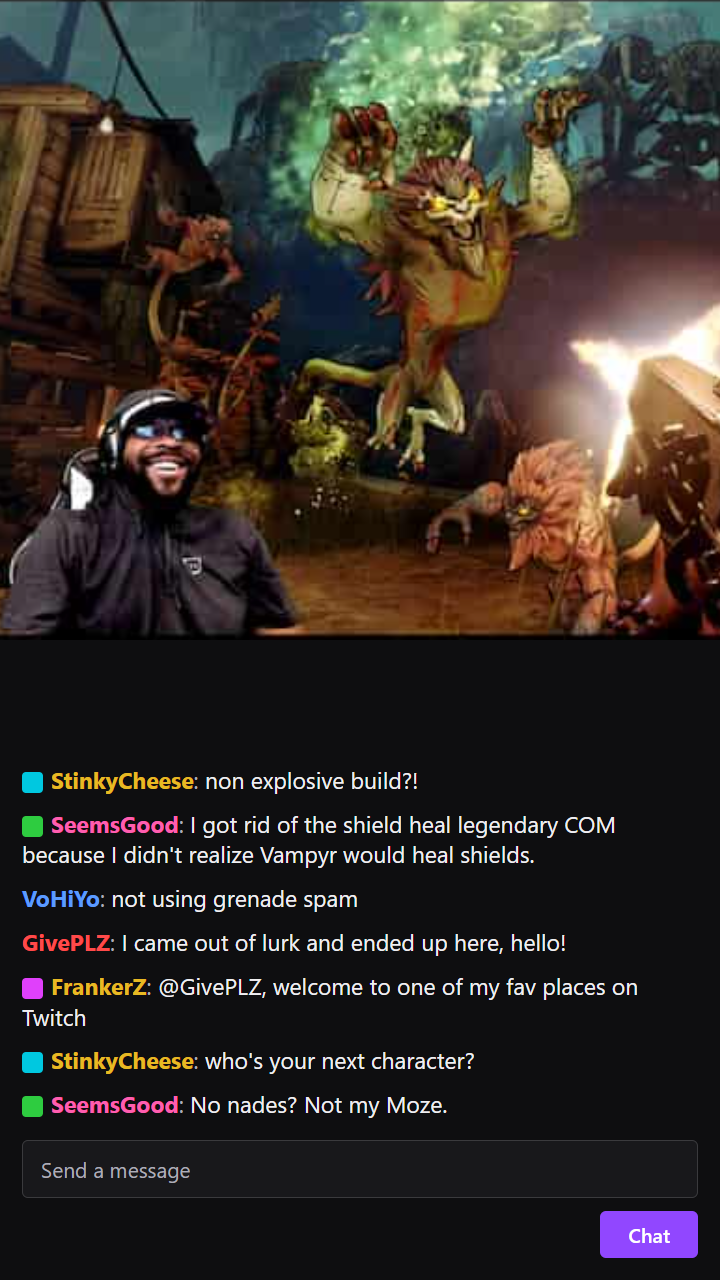
A multi-hour stream holds a handful of moments worth clipping, the clutch play, the fail, the reaction, and scrubbing back to find them is the tedious part. The AI scans the whole recording, captions the moments it finds, and cuts them to vertical, ready for TikTok, Reels, and Shorts.
Why Voice Creator Pro
Why creators choose Voice Creator Pro
AI finds the moments
No scrubbing through a long timeline. The AI surfaces the strongest moments for you, several from a single video, so you start from the best parts.
Captions and editing built in
Add subtitles, zoom-ins, and automatic filler and silence removal in one place, so each clip is ready to post, not just cut.
Reach beyond one language
Dub any clip into up to 21 languages, so a single moment reaches audiences far beyond its original language.
Free to start, runs offline
Begin free in your browser with no credit card, or run it offline on the desktop app with no limits.
Create viral content the easy way
You do not have to guess what will land or scrub through hours of footage. Drop in a long video and the AI pulls the moments most likely to take off, so making content worth sharing takes minutes, not a weekend.
Create viral clipsTurn one video into more views
Every clip is another way for people to find you. Ship clips faster and let them draw viewers back to the full video, so a single upload can keep drawing views long after you post it.
Start shipping clipsReach an audience in 21 languages
Your best moments should not stop at one language. Dub any clip into up to 21 languages and put the same short in front of viewers around the world.
Try for freeCapabilities
Everything You Need to Clip a Stream
Catches the Play and the Reaction
The AI surfaces the clutch, the fail, and the reaction, the moments a stream is worth clipping for.
Scans the Whole Recording
Drop in a multi-hour recording and the AI scans all of it, so you start from the highlights instead of scrubbing the timeline.
Vertical 9:16 for the Feeds
Clips are cut to 1080x1920, the vertical format made for Reels, TikTok, and Shorts.
Captions the Commentary
Word-by-word captions carry the callout and the punchline in a feed watched on mute.
Auto-Edit or by Hand
Let AI add zoom-ins for emphasis and cut dead air to keep it punchy, or take manual control of each cut.
One Stream, a Batch of Clips
Turn a single long stream into a batch of clips, so one session feeds several posts.
How It Works
From a Long Stream to a Batch of Clips
Add Your Stream or Gameplay
Upload a stream recording or gameplay capture in the browser, or paste a link on the desktop app. A multi-hour session is fine to work from.
AI Finds the Plays and Reactions
The whole recording is scanned for the strongest moments, the clutch, the fail, the reaction, so one session yields several clips.
Caption, Edit, and Export
Add captions for the commentary, auto-edit with zoom-ins and dead-air removal or adjust by hand, and export vertical clips.
What Works
What Makes a Gaming Clip Get Shared
Lead with the play
Open on the clutch or the fail itself, not the ninety seconds of setup before it.
Keep the reaction in frame
The commentary and facecam reaction are often what make a clip funny, so keep them in the cut.
Caption the callout
Most clips are watched muted, so captions carry the shot-call and the punchline.
Keep it tight
The best gaming clips are a few seconds around one moment. Trim everything else.
Explore clip tools
AI Video Clips Generator
The full clips feature
YouTube to Shorts
Turn long uploads into Shorts
Podcast to Clips
Cut episodes into promo clips
Long Video to Shorts
Any long recording into shorts
TikTok Clips
Vertical clips made for TikTok
Instagram Reels
Clips shaped for Instagram Reels
LinkedIn Clips
Professional clips for LinkedIn
Facebook Reels
Clips for Facebook Reels
Viral Clips
AI finds the viral moments
AI Shorts
AI shorts from any video
YouTube Clip Maker
Clip any YouTube video
FAQ
Common Questions
Add your stream recording or gameplay capture, and the AI scans the whole thing for the plays and reactions worth clipping. Add captions, auto-edit or adjust by hand, and export vertical clips. One session can become several clips.
Yes. Add the stream recording as a video, upload the file in the browser or paste a link on the desktop app, and the AI scans the whole thing for the moments worth clipping.
Yes. The AI scans the entire recording and surfaces the strongest moments, so you start from the highlights instead of scrubbing hours of footage.
Yes. Voice Creator Pro Cloud has a free tier you can start with no credit card, and free-tier clips include a small watermark. Paid Cloud plans remove the watermark, or use the desktop app for unlimited offline use.
Yes. You can dub a clip into up to 21 languages, so a moment reaches a community that speaks a different language.
Get Started
Turn Your Streams into Clips
Pull the plays and reactions from a long stream into captioned vertical clips. Start free in your browser, or work offline with the desktop app.
Trusted by 3000+ creators and businesses